


LEXI PRO: Auto Launch Finish

LEXI PRO: Auto Launch Finish
The official app & game
Distributed by UptoPlay
SCREENSHOTS
DESCRIPTION
Use UptoPlay to play online the game LEXI PRO: Auto Launch Finish.
More Information, Visit Lexi homepage ( http://www.lexi.co.kr )
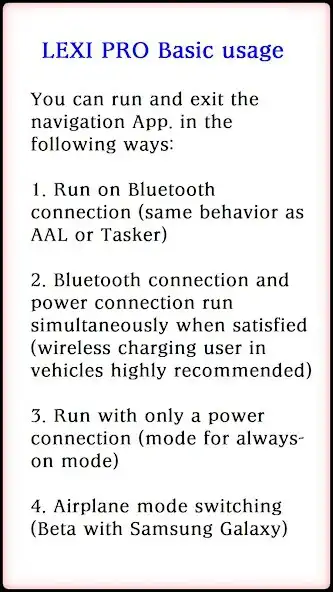
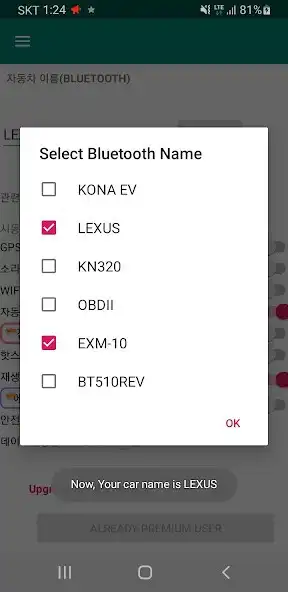
Simply start up the navigation App. and finish it with BLUETOOTH Device of your vehicle. ( or power connection)
Auto-launch and termination of Navigation App (google map ,baidu map, etc) with selected music App. when driving by car
It is an app for those who use global map when driving by car.
Recent updates
- Added reading notification by voice during driving
- Added reading today & time information by voice at starting vehicle
- Supports switching airplane-only models for nevi-only devices (beta: only for samsung galaxy, ALLDOCUBE iPlay30, some lg phone ...)
- Reflects the termination function of the latest version of TMap and Kakao-navi.
- Also added a safe during automatic entry function with naver-map
- Added data-only app on/off function for BMWid7 model.
- To respond to the stopover preheating (and stop-and-go) function, we have added off-control function when temporarily powering off.
- If you set it as a music app, it will be played with the music app at the same time as the phone (tea map) is automatically run.
Auto-launch and termination of global map, switch airplane mode, play the music with selected music App. and using the air button while driving
You can turn on a specific app or page defined by the user without disturbing driving.
** Navigation App.: T-map, kakao-navi, navermap-navi, g-maps go , carnav, baidu map etc...
Enjoy with UptoPlay the online game LEXI PRO: Auto Launch Finish.
ADDITIONAL INFORMATION
Developer: cubesugarkorea
Recent changes: Updated feature for Multiple App. list for navigation when starting drive.
Page navigation: