


Brightness Widget
Brightness Widget
The official app & game
Distributed by UptoPlay
SCREENSHOTS

DESCRIPTION
Use UptoPlay to play online the game Brightness Widget.
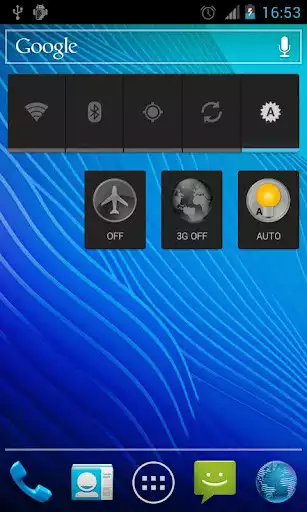
Quick single-click brightness control using the widget. By clicking the widget, three levels of brightness change one after another: minimal, 50%, and maximal.
You can set your own values for brightness levels
- no ads
- no analytics
- no needless permissioms
- small app size (~ 2.4 Mb)
Enjoy with UptoPlay the online game Brightness Widget.
ADDITIONAL INFORMATION
Developer: Yuriy Bogatyrev
Genre: Tools
App version: 2.0
App size: 2.4M
Recent changes: Now you can set your own values for brightness levels
Comments:
`Didn't work. Keeps "stopping" and asks if I want info on the app or to stop it.`,New version works great. Thank you. Would like the option for 4 brightness levels and different widget icons please.
This is the best brightness widget toggle/switch. It can't be programmed and the values are not minimum, 50% and maximum (for me they ended up being 44%, 77% and 100%) but it doesn't matter, the values it chose automatically work for me. Plus, it takes up practically no space, did not require permissions and looks cool. Also, it's only a widget and not an actual app, so it can't have ads. If your brightness sensor sucks like on my XZ1 Compact, I highly recommend this widget.
Simple and to the point. A little more control would be real nice, but for the convenience, it's a good app. Update: 11/12/18 Discovered that the app became confused: the low setting put screen at high and vice versa. Plus it only had 3 levels. User presets would be more ideal.
Cool. Works on my Moto G7 on Android Pie. I like it but took off one star because it's a serious bummer that you can't customize it. Does half bright, mostly bright, and 100%. Needs a setting between half and that 80%ish setting. But rates a solid 4 stars because no intrusive permissions and no ads! Nice!"
Page navigation: