


Assistive Touch for Android

Assistive Touch for Android
The official app & game
Distributed by UptoPlay
SCREENSHOTS
DESCRIPTION
Play this online game named Assistive Touch for Android .
Assistive Touch for Android is assistant,easytouch,tools,assistive,touch, content rating is Everyone (PEGI-3). This app is rated 5 by 4 users who are using this app. To know more about the company/developer, visit Assistive Touch Application website who developed it. com.assistant.easytouch.apk apps can be downloaded and installed on Android 4.1.x and higher Android devices. The Latest Version of 3.25 Available for download. Download the app using your favorite browser and click Install to install the application. Please note that we provide both basic and pure APK files and faster play online speeds than APK Mirror. This app APK has been downloaded 4926+ times on store. You can also play online com.assistant.easytouch APK and run it with the popular Android Emulators.
You can use Easy Touch to control your device.

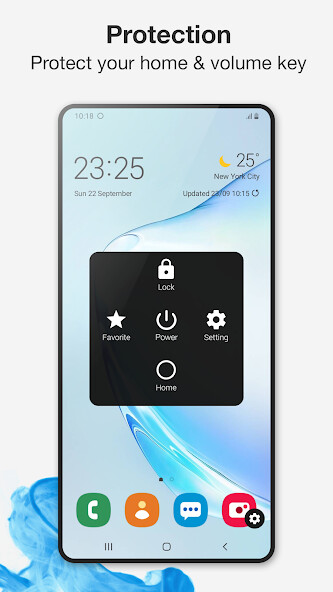
Assistive Touch is also an ideal app to protect the physical buttons for Android device!

Assistive Touch provides the easiest ways with one touch to:

✔ Screenshot, screen capture (OS 5.0 or above)

✔ Virtual Home button

✔ Virtual back button

✔ Easy touch to lock screen

✔ Open recent task

✔ Virtual volume key, quick touch to change volume key and change sound mode

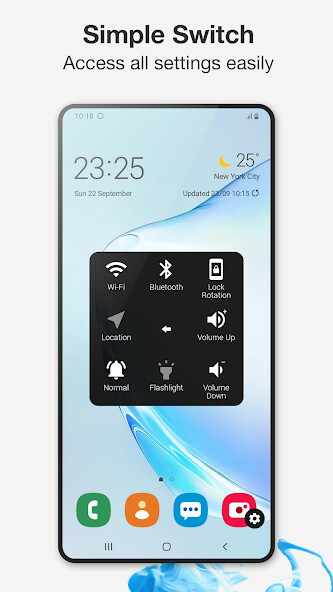
✔ Go to all settings very quick with a touch

✔ Clear ram, boost speed, one touch boost

✔ Wi-Fi

✔ Bluetooth

✔ Brightness

✔ Ringer mode (normal, vibrate, silent)

✔ Screen rotation

✔ Airplane mode

✔ Open Notification

✔ Power popup

✔ Volume up & down

✔ Location (GPS)

✔ Flashlight bright

✔ Data usage

✔ All application on your device

- You can change icon of Easy Touch with many pretty icons. And if you want others icons, please let us know.

- Funny with more themes and new themes are updated regularly, you can change colour of background with your favourite colour.

- If Easy Touch brings you amazing and convenience, please don’t hesitate give us a nice review and 5 Stars

Thank you very much!

---------------------------------------

Please be noted that you need do by this way to uninstall app, kindly please open app and click to “Uninstall”.

Screenshot Capture only is available on OS 5.0 or higher. So if your device is not satisfied, it should be rooted to operate that function.

Kindly access to Settings screen then scroll down and look for “About Device”. You usually find this at the very bottom of the main Settings screen.
Updates:
- Fix bugs report from users
Assistive Touch for Android from UptoPlay.net
Page navigation: