


Locca - screen lock

Locca
The official app & game
Distributed by UptoPlay
SCREENSHOTS
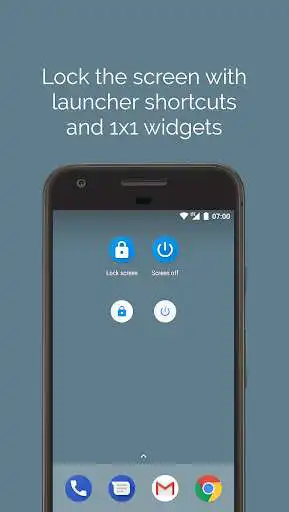
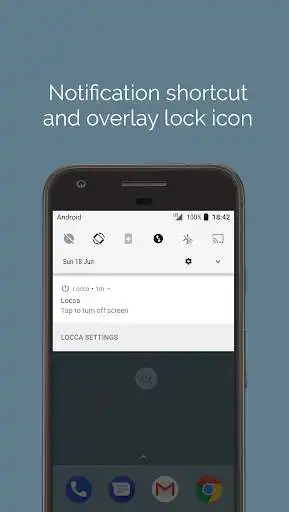
DESCRIPTION
Use UptoPlay to play online the game Locca - screen lock.
Locca is a lightweight, ad-free app that helps you lock or turn off the screen of your device in any way you want. Currently, you can activate Locca by:
- Tapping the launcher icon or 1x1 widget on your home screen or app drawer.
- Touching the floating icon from any screen.
- Swiping up from the Home button (before Android 6.0) or holding the Home button (from 6.0 onwards). This is known as the Google Now gesture or Assistant gesture.
- Tapping Locca's notification.
- Tapping on Locca's Quick Settings tiles (from Android 7.0 onwards). To activate the tiles, pull down twice from your status bar, tap the Edit (pencil) icon and drag the "Lock screen" or "Screen off" up from "Drag to add tiles."
Before you use this app, please note:
- This app uses the Device Administrator permission. As with any other screen locking app, Locca must be activated as a device administrator in Settings > Security > Device administrators. You will be prompted to do so on the first time you use the screen locking feature. Please note: If you are unable to remove the app, please disable it under Device administrator!
- If you've set up a secure lockscreen, the screen locking feature requires a PIN or pattern next time you unlock the device. Use the screen off feature instead if you want to unlock by fingerprint.
- On Android 8.1 and lower, due to Android's restriction, Locca bypasses the lock screen by showing a black screen and lowering the screen timeout. Therefore, on Android 6.0 and above, it must be granted permission to modify system settings.
- From Android 9.0 onwards, this app makes use of Android's accessibility service APIs to turn off the screen while keeping fingerprint unlock.
- From Android 6.0 onwards, apps need your permission to draw over other apps. In Locca's case, you will be asked for approval when enabling the floating lock icon.
Enjoy with UptoPlay the online game Locca - screen lock.
ADDITIONAL INFORMATION
Developer: HydrogenPhosphate
Genre: Tools
App version: 25
App size: 1.5M
Comments:
So far this is the only lock app that work properly when set as assistant app.
the app crashes when i use the tile to lock the screen im using Nokia 2.1 Android 9 GO
Fingerprint doesn't allowed. Why I can't use fingerprint to unlock the device? I just uninstalled this app because of it.
Faltu app. It is not delleted from my phone after downloading. Don't play online it anymore.
Just what I was looking for.'
Page navigation: