


MS Access tutorial - complete course - Offline
MS Access tutorial
The official app & game
Distributed by UptoPlay
SCREENSHOTS

DESCRIPTION
Use UptoPlay to play online the game MS Access tutorial - complete course - Offline.
MS Access full version tutorial is introduced by us, for beginners as well as an expert to help you learn how you can use MS Access (database software) presented by Microsoft corporation. We have explained every tool in simple English with images.
MS Access is one of the most powerful and flexible database management system (DBMS). Microsoft Access is an information management tool that helps you to store information for reference, reporting, and analysis.
This app is all about ms access, you will learn Data organization. Table, Queries, Forms, Reports, Pages, Macros, Modules. Ms-access course will guide you from basic opening MS Access to Logical Formulas. Everything is explained step by step, which makes it easy to understand.
Features of the Ms Access course app
Simple user interface
Explained every tool
Combined images for easy to understand
Included Shortcut keys help to play fast with program
Tips and tricks
Works offline
Videos links
Subjects included in MS Access are:
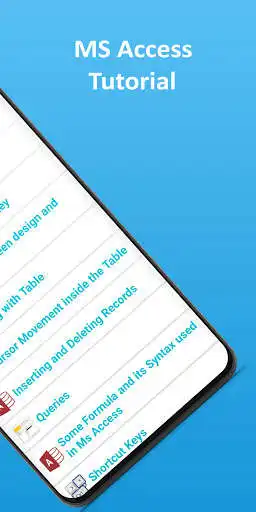
Introduction: Database, Data organization in Access, Planning your database, Starting system of MS Access, Creating a Blank Database, Working with Table, Understanding Data types and Formats, Input Mask, Setting the Primary Key, Switching between design and datasheet view, Inserting and deleting Records, Queries, Formulas.
If you have any feedback feel free to mail us at [email protected]
Don't forget to rate the app, let us know what you think about this app.
Enjoy with UptoPlay the online game MS Access tutorial - complete course - Offline.
ADDITIONAL INFORMATION
Developer: 8848 Apps
Genre: Education
App version: 2.7.142
App size: 5.3M
Recent changes: - Shortcut keys
- Bug fixed
Comments:
I downloaded this to attempt to learn Access. Reading several pages it seemed that the person writing was thinking too far ahead or couldn't get the thoughts together. While reading the material advertisements would pop up at the worst times. I spent as much time deleting these as I did reading. Personally it's not worth the space
The Pro - this was easy to follow and understand. It's level of explanation is for the beginning who has no experience for databases or MS Access specifically. Cons - there were too many grammatical errors to ignore. Some sentences didn't make sense because of missing words and because the punctuation was incorrect, in the wrong spot or not used when it should have been. 8 also don't mind ads but they were far too frequent. Seemed like every 20 or 30 seconds an ad would pop up.
I love creating data bases but it has been some years since I've had the opportunities to do it. As they say...you don't use it then you will lose it and that is what has happened to me, so when I found all of these tutorials I got excited and want to use them. Thank you for offering them.
Nice format with tables and figures that aid in understanding the content. Its been a great help!
I know less about msaccess than I did before using this app. Information very basic with spelling errors galore. Uninstalling!!'
Page navigation: