


Mixcraft Remote
Mixcraft Remote
The official app & game
Distributed by UptoPlay
SCREENSHOTS
DESCRIPTION
Use UptoPlay to play online the game Mixcraft Remote.
***This app requires Mixcraft to be installed on a Windows computer!***
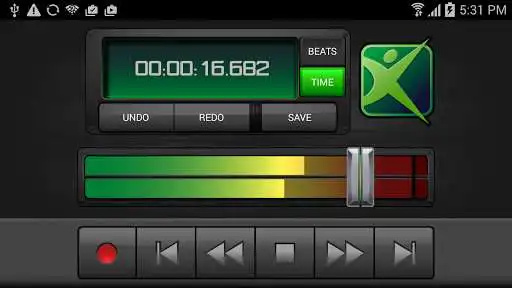
The Mixcraft Remote App lets you easily control your Mixcraft recording software from your Android phone or tablet. You can start recording and playback, change the recording & playback position, control the master volume, undo and redo actions, and save your Mixcraft project from anywhere in your studio. Strap on your guitar, adjust your microphone, and start recording right from your Android device, from across the room or across the hall!
Just connect your device to your wireless network and follow the included instructions.
Break away from your mouse with the Mixcraft Remote!
Enjoy with UptoPlay the online game Mixcraft Remote.
ADDITIONAL INFORMATION
Developer: Acoustica Inc.
Genre: Music & Audio
App version: 1.2
App size: 2.4M
Recent changes: Updated for Mixcraft 7
Comments:
Worked great with Mixcraft 7. Won't connect at all with 8, even when I set it in my control preferences. A huge bummer--i needed the remote for recording and rehearsals. I may just can 8 and go back to 7. :(
Worked perfectly on first setup and has hugely opened the doors to how I arrange my home studio in that I don't have to have my keyboard crammed against my desk to reach my computer anymore! SO useful!
I love mixcraft im still learning on my own but it easier with good qaulity i think. I really appreciate this program and company.
Awesome product works perfectly, even with newer versions of Mixcraft like versions 9..
Basic control, easy setup, does exactly what I needed, that is to start/stop record on PC software from phone without the need to click mouse. So in real terms that means you can be sitting across the room from your PC with your instruments and easily record. Thanks Mixcraft'
Page navigation: