


PDF Scanner Cam Scan - Softify
PDF Scanner Cam Scan
The official app & game
Distributed by UptoPlay
SCREENSHOTS
DESCRIPTION
Use UptoPlay to play online the game PDF Scanner Cam Scan - Softify.
Key features of Softify PDF CamScan
Free, safe and ease to use extreme Softify PDF CamScan app
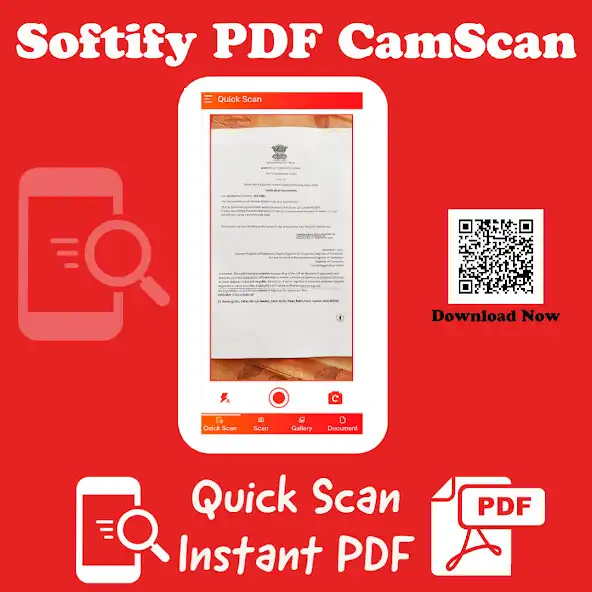
Instant scan
Multi Language
Privacy Safe
Import Image from Gallery to create PDF
Flashlight Support
Easy Documents Storage
Generate instant PDF for Documents, Books, ICards, Business Cards, Photos
Image Enhancement features
Auto Cropping
Image to Text Conversion
No Internet Connection Required
No Ads
HOW TO SCAN Documents?
1.Open Scan option
2.Select Document Tab
3.Focus Document page to Center
4.Edit Document options for Scan result
5.Edit Image options for Scan result
6.Save Result
7.Create PDF
HOW TO SCAN Books?
1.Open Scan option
2.Select Books Tab
3.Focus Book page to Center
4.Edit Document options for Scan result
5.Edit Image options for Scan result
6.Save Result
7.Create PDF
HOW TO SCAN ICard/Business Card?
1.Open Scan option
2.Select Icard Tab
3.Select Single Side/ Double Side ICard Option
4.Focus Icard/Business Card to Center
5.Edit Document options for Scan result
6.Edit Image options for Scan result
7.Save Result
8.Create PDF
HOW TO SCAN Photos?
1.Open Scan option
2.Select Photos Tab
3.Focus photo to Center
4.Select Image Resolution Option
5.Edit Image options for Scan result
6.Save Result
7.Create PDF
HOW TO Import Photo from Gallery to PDF?
1.Open Gallery option
2.Select Photos from Gallery
3.Edit Document options for Scan result
4.Edit Image options for Scan result
5.Save Result
6.Create PDF
Enjoy with UptoPlay the online game PDF Scanner Cam Scan - Softify.
ADDITIONAL INFORMATION
Developer: Sanshray IT Solutions
Recent changes: What's New????
- Improve GUI
- Resolve Bug issues
Page navigation: