


ROKU TvRemote Control
ROKU TvRemote Control
The official app & game
Distributed by UptoPlay
SCREENSHOTS
DESCRIPTION
Use UptoPlay to play online the game ROKU TvRemote Control.
RoByte is a simple and easy to use Roku remote control app that works with your Roku Player or Roku TV.
Features:
No Setup required, RoByte automatically scans for your Roku device
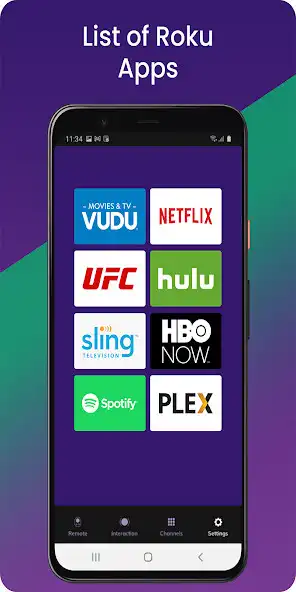
Easy channel switcher
Use your keyboard for fast text & voice entry on channels like Netflix, Hulu, or Disney+.
View all your TV channels and jump directly to the one you like.
Adjust your Roku TV's volume and toggle the input.
Tablet support
Android Wear support, quick access to play/pause from your wrist
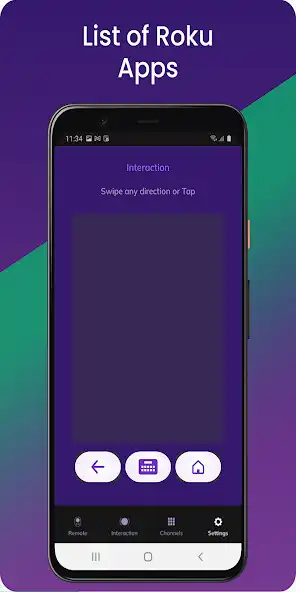
Navigate using D-pad or Swipe-Pad
Pair with multiple Roku devices
Customizable Widgets turn your Android homescreen into a Roku remote
Option to keep the wifi from sleeping
Beautiful design with material design
RoByte Free features:
Roku remote control
Play/pause, fast forward, rewind
Pair with multiple Roku devices
RoByte Pro features:
Roku channel switcher
Power button
Volume control
Keyboard & Voice Search
TV channels switcher
Homescreen widgets
Android Wear app
Supported Roku TVs:
TCL
Sharp
Hisense
Onn.
Element
Philips
Sanyo
RCA
JVC
Magnavox
Westinghouse
With RoByte Roku TV Remote, we wanted everyone to have the best Roku remote app so we made the remote control functionality free.
Quick tips:
Most problems connecting to your Roku can be resolved by simply reinstalling RoByte.
RoByte can only connect if you are on the same wifi network as your Roku device.
This Roku remote is not designed to control Roku SoundBridge
Enjoy with UptoPlay the online game ROKU TvRemote Control.
ADDITIONAL INFORMATION
Developer: Kul Osori Studios
Recent changes: RoByte Free features:
• Roku remote control
• Play/pause, fast forward, rewind
• Pair with multiple Roku devices
RoByte Pro features:
• Roku channel switcher
• Power button
• Volume control
• Keyboard & Voice Search
• TV channels switcher
• Homescreen widgets
• Android Wear app
Page navigation: