


Robot36 - SSTV Image Decoder
Robot36
The official app & game
Distributed by UptoPlay
SCREENSHOTS
DESCRIPTION
Use UptoPlay to play online the game Robot36 - SSTV Image Decoder.
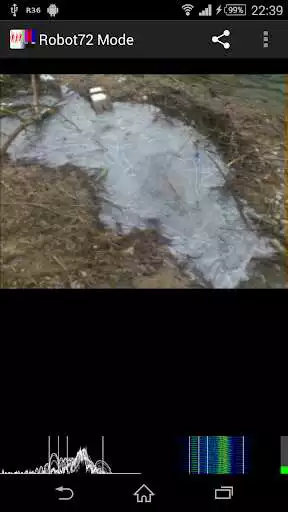
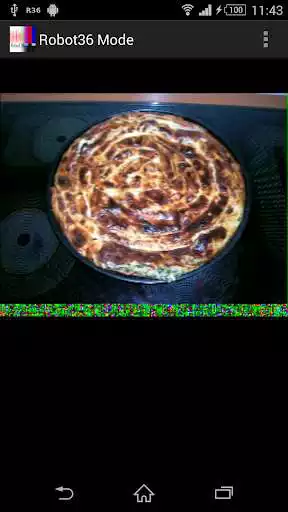
Following modes are supported:
Robot Modes: 36 & 72
PD Modes: 50, 90, 120, 160, 180, 240 & 290
Martin Modes: 1 & 2
Scottie Modes: 1, 2 & DX
Wraase Mode: SC2 180
Old B/W or unsupported modes can be viewed in "Raw Mode".
If an calibration header gets detected, the resulting image will be saved in the "Pictures" directory and can be immediately seen in the Image gallery.
Switching away to another application will not stop the decoder and it will continue to run in background.
To stop the decoder, you can either press pause or exit via the "back" button of Android.
Here you can find my wife's free open source SSTV Encoder:
https://play.google.com/store/apps/details?id=om.sstvencoder
Enjoy with UptoPlay the online game Robot36 - SSTV Image Decoder.
ADDITIONAL INFORMATION
Developer: Ahmet Inan
Genre: Communication
App version: Varies with device
App size: 3.6M
Recent changes: Fixed image saving on Android Q
Comments:
It wasn't designed to do phone calls. Amazing how the decoder can automatically select format. Creates interesting effects when the encoder is played through an amplifier. Would like to try this in a large reverberation sized room. Working best when at lower volume not loud enough to bounce off of walls. Scottie DX is actually the only mode that doesn't smear my profile picture. I've got this encoder and decoder set on 3 of my devices. I've sent my profile picture to myself through every single mode this pair can do. Looking forward to the day I can actually use them with a radio or even home phone.
I love this app, but I've had a slight problem this last time I've installed it... For some reason the save button is greyed out, and the share button doesn't seem to do anything. Is there any reason this would be happening that I'm just missing? I had to save my last image via screenshot, which isn't ideal, so I'd rather be able to use the default save feature :) I'm on Android 10 on a Nokia 7.1 Thanks for the great app!
I don't know what this is. But it seems really cool. I always have trouble understanding anything in terms of waves. What exactly is going on here? Like the converse of sonar? Like a light into Sound kinda thing? Can you use it to hide audio? Not that sonar makes light. You know what I mean. Actually sonar doesn't convert it just reflects right? Bad example. The opposite of a spectrograph? Audio representation of visual data kind of thing?
`I just lost a nearly perfectly decoded image because I accidentally hit the delete button instead of the save button.Needs a confirm dialog. Catastrophic data loss. Also, "Auto mode" isn't clear... tapping menu button seems to do nothing. Is it active? Show a checkbox? Could be improved a good bit, but not bad for a free app.`,Love this app. I have successfully decoded an image but unfortunately the share and save buttons do not work. I have tried while it is running and while it is not. I have looked everywhere on my phone to see if I was mistaken. I even uninstalled and reinstalled. I am on a Pixel 2xl running Android 10.'
Page navigation: