


OGN Viewer

OGN Viewer
The official app & game
Distributed by UptoPlay
SCREENSHOTS
DESCRIPTION
Play this online game named OGN Viewer.
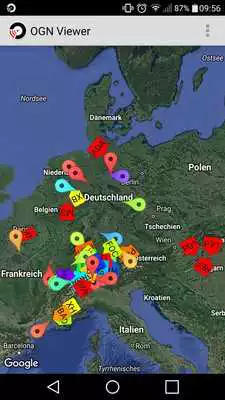
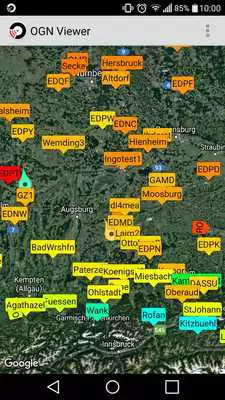
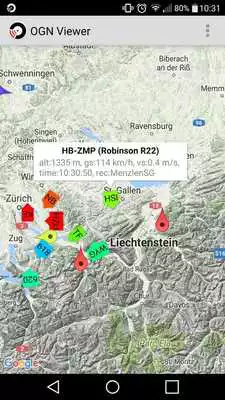
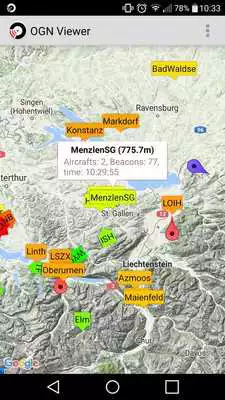
What is OGN:The "Open Glider Network" (OGN) is a network of HF receivers maintained by gliding enthusiasts mainly in europe which listen to signals of flarm devices (or compatible) and OGN trackers. The "OGN Viewer" connects to the OGN and visualises the received data.
How to use:
Start the OGN viewer and set up the aprs filter. If you leave the filter empty you will see the whole OGN traffic and this could make the app slow. If you make a long click on the map, the filter dialog will appear with a filter for the range 100km around the point you clicked.
How to use with XCSoar:
With OGN viewer you can feed the OGN stream to XCSoar. GPS has to be enabled. Also enable the "TCP server" in the settings. Then start XCSoar and add an additional NMEA input under Config->Devices->Edit:
Port: TCP client
IP Address: localhost
TCP Port: 4353
Driver: Flarm
Note: the current version of XCSoar cannot handle multiple Flarm sources. So if XCSoar is already connected with a "real" Flarm this feature will not work.
Aircraft details
For some gliders detailed information are shown: registration, competition sign and model. If for a glider only a cryptic id is shown (e.g. "DD4711" or "3D0815"), you can fix it:
- just tap on the id and fill in the informations in the upcoming dialog (these informations are stored on your device only)
- if you are the owner of the glider, just go to the "OGN devices db" (http://ddb.glidernet.org) and fill in the informations (these information are visible to all users of this app)
- if you aren't the owner but you know the owner, just ask the owner to fill in the informations to the "OGN devices db"
More information:
http://wiki.glidernet.org (all information about OGN)
http://live.glidernet.org (real time OGN map)
http://www.aprs-is.net/javaprsfilter.aspx (APRS filter syntax)
https://github.com/Meisterschueler/ogn-viewer-android (complete source code of this app. Any help appreciated)
Updates:
1.4.1Fixed: TCP server works with LK8000 (issue #17)
1.4.0
New: import/export IDs
1.3.9
New: multicolor flight path (see settings)
New: screen orientation setting
Fixed: jumping aircraft position (issue #14)
Fixed: black screen issue (while restoring map)
Changed: info window click (short and long)
improved manageIDs activity (delete function on long click)
many internal improvements and refactorings
All release notes at: https://github.com/Meisterschueler/ogn-viewer-android
OGN Viewer from UptoPlay.net
Page navigation: