


GPS Logger for Android

GPS Logger for Android
The official app & game
Distributed by UptoPlay
SCREENSHOTS
DESCRIPTION
Play this online game named GPS Logger for Android .
GPS Logger for Android is mendhak,gpslogger,travel,local, content rating is Everyone (PEGI-3). This app is rated 5 by 1 users who are using this app. To know more about the company/developer, visit Mendhak website who developed it. com.mendhak.gpslogger.apk apps can be downloaded and installed on Android 4.1.x and higher Android devices. The Latest Version of 106 Available for download. Download the app using your favorite browser and click Install to install the application. Please note that we provide both basic and pure APK files and faster play online speeds than APK Mirror. This app APK has been downloaded 7328+ times on store. You can also play online com.mendhak.gpslogger APK and run it with the popular Android Emulators.
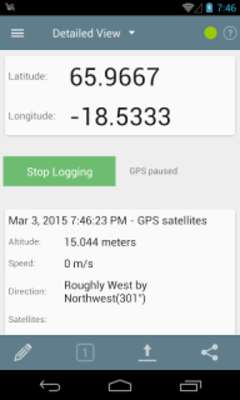
A lightweight, battery efficient GPS Logger. The purpose of this app is to log your GPS coordinates at specified intervals to a file on your SD card. This app runs in the background so that you can on a long walk, hike, flight ride or photo session or even go buy some milk and have this running as long as possible. Once you're back at your computer, you can then use the files to geotag photos, upload to travel sites, view in Google Earth and so on.

***Features:

* Specify time intervals
* Specify distance intervals
* Cell phone tower or GPS satellites
* Log to GPX, KML, CSV or NMEA files
* Log to a Custom URL
* Shows a notification
* Imperial display units
* Auto start on boot
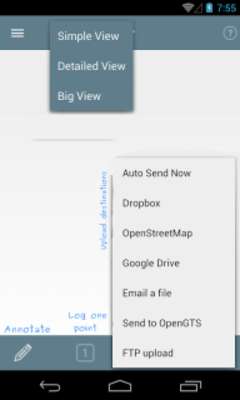
* Auto send to email/FTP/DropBox/Google Docs/OpenStreetMap/OpenGTS at intervals
* OpenStreetMap - upload GPS traces
* Dropbox - upload GPX/KML/ZIP/TXT
* Google Docs - upload GPX/KML/ZIP/TXT
* OpenGTS - auto send or upload points

Bugs, feature requests, questions - please submit them to github.com/mendhak/gpslogger (issue tracker).

Translations - submit to http://crowdin.net/project/gpslogger-for-android/invite

***Notes:

A data connection is used by this app only if you use auto-email or OpenStreetMap or Dropbox features.

Although the app allows 0 second frequencies, it is not recommended as the recording and logging is happening very fast; this could cause instability/hangs. Try 1-3 seconds instead.

If there's a feature that you feel the app should have, you can submit a feature request on the github site.

***Explanation of permissions:

Storage - reading and writing files to the GPSLogger folder on your SD card

Network communication - used when uploading the files (Dropbox, Openstreetmap) or sending emails or authorizing you with Dropbox, Openstreetmap

Your location - used to determine your GPS or tower based location

System tools (automatically start at boot) - used if you choose to start GPSLogger on bootup

Activity recognition - to recognize when phone is still and to pause logging

***Credits

Most icons kindly provided by icons8.com

*** Privacy Policy

https://github.com/mendhak/gpslogger/blob/master/assets/text/privacypolicy.md#privacy-policy
Updates:
- v102
- * Fixed startup crash
- * Apply accuracy filter to passive locations
- * Allow passive-only logging
- * Only show notification during logging, not when app starts
- v101
- * Removed contact permission requirement - Google Drive doesn't need it any more!
- * Added %DATE parameter for custom URL
- * Separated satellite and network location listeners
- * Added message in log view when file is sent
- * Added exponential backoff to OpenStreetMap upload
- * Removed filepicker, user to enter paths directly
GPS Logger for Android from UptoPlay.net
Page navigation: