


Stopwatch & Timer Pro
Stopwatch & Timer Pro
The official app & game
Distributed by UptoPlay
SCREENSHOTS
DESCRIPTION
Play this online game named Stopwatch & Timer Pro .
Stopwatch & Timer Pro is espengineer,android,chronometer,paid,tools, content rating is Everyone (PEGI-3). This app is rated 5 by 1 users who are using this app. To know more about the company/developer, visit espengineer website who developed it. espengineer.android.chronometer.paid.apk apps can be downloaded and installed on Android 4.1.x and higher Android devices. The Latest Version of 2.24 Available for download. Download the app using your favorite browser and click Install to install the application. Please note that we provide both basic and pure APK files and faster play online speeds than APK Mirror. This app APK has been downloaded 586+ times on store. You can also play online espengineer.android.chronometer.paid APK and run it with the popular Android Emulators.
Ad free version. A stopwatch, also known as chronometer or chronograph, is a watch with one or more hands that can be stopped or started at any instant, used for precise timing, as in races. A countdown timer allows backward timing from a preset time value to zero.

Chronometer is a reliable, easy to use time measuring app, ideal for various activities as running, workouts, cooking, games, or work. Its features include a stopwatch and a countdown timer. The app will continue the timing in background if minimized.

Stopwatch (chronometer, chronograph)

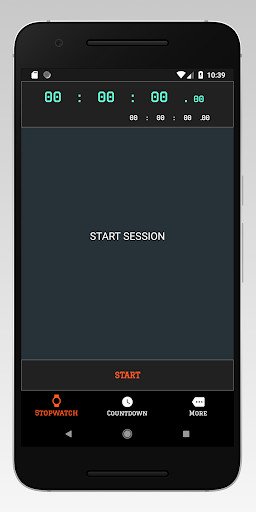
The stopwatch feature allows you to measure elapsed times. By using the corresponding buttons, the stopwatch can be started, paused, resumed, and reset. By pressing the "Lap" button you can record the current timing. In landscape mode, in addition to the elapsed time, you can see the number of laps, the last lap time and the current lap time.

Times

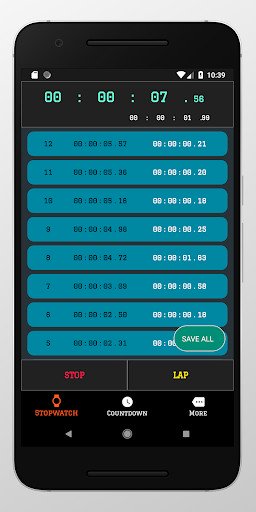
As you record laps with the stopwatch, the timings are added to a list in the "Times" view. The laps are ordered in descending order. For each lap in the list, you can see the lap number, the elapsed time, and the lap time. The elapsed time is the time past from the beginning of the measurement up to the moment when the lap was added. The lap time is the time past since the previous lap was added. At the bottom of the screen, you can see the average of your lap times. The "Save" button placed on the action bar allows you to share your list of lap times by sending it to one of the appropriate apps installed in your device (Gmail, Dropbox, Drive, Facebook, etc.).

Countdown Timer

The countdown timer feature allows you to set a timer. By using the corresponding buttons, the countdown can be started, paused, resumed, and reset. When time is up, you receive a notification, according to your settings: a sound alarm, a vibration, and / or a message on the notification bar (if the app is running in background). The "Set Timer" button placed on the action bar allows you to rapidly set the timer. In landscape mode, in addition to the time display, you can see the date and time when the countdown will finish.

Download your Chronometer now!
Updates:
- Periodic update.
Stopwatch & Timer Pro from UptoPlay.net
Page navigation: