


South Shore
South Shore
The official app & game
Distributed by UptoPlay
SCREENSHOTS

DESCRIPTION
Use UptoPlay to play online the game South Shore.
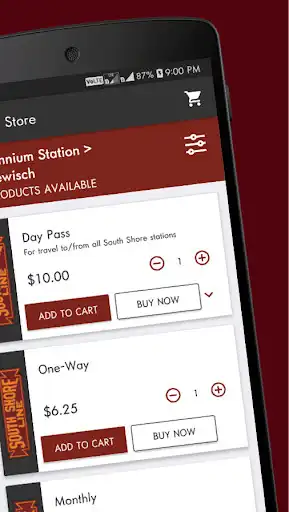
The South Shore Line's mobile ticketing solution allows customers to get schedule information, purchase tickets and use their smartphone as an active ticket. Tickets can be purchased from anywhere at any time and activated just prior to boarding the train. It makes traveling on the South Shore easy and convenient.
Enjoy with UptoPlay the online game South Shore.
ADDITIONAL INFORMATION
Developer: Bytemark, Inc.
Genre: Maps & Navigation
App version: 4.25.9
App size: 36M
Recent changes: New ticket display;
New tabs for active tickets and ticket history;
“Submit a Report” feature, to be used for non-app related passenger comments/complaints/suggestions/questions;
“Contact App Support” embedded submission box to be used for app questions/comments/complaints (previously the link opened the phone’s email client).
Comments:
I was using this app for months and then all of a sudden it started crashing tonight upon catching the last train from millennium station. I tried clearing the cache, uninstalling, reinstalling, restarting and completely turning off my phone for 10 minutes. I cannot even get enough time to screenshot the crash. I have a Samsung A02s. Please help?!
The app was much more user friendly prior to the latest update. It used to save my schedule info (departing and arriving stations) and all it took to check eastbound schedule was to hit the reverse button between the saved stations. Now you have to go into the menu and select the station stops you need in order to generate a schedule. May seem like a little thing, but when ur looking for the next train out of Chicago, sometimes those precious seconds can cost you an hour or more of your time
The latest update has removed amazing features for people who just want to view train schedules. The current way to view a schedule requires you to select a departure and a destination and then it will generate a giant table of all trains. This might be a "so what?c moment until you realize they had it better before this update. You used to be able to select a departure and destination. And it would automatically generate the table, focusing on the NEXT available train. You could also push ONE button and it would reverse the two, you know, in case you wanted to see what time you had to be at the exact same station to go back home. You have to go back and regenerate a giant table (after reelecting the departure/destination again), and then sort through every train to find the one you want. For people who just need to know when the next train is, they certainly made the schedules harder to reach within the app and less user friendly. This is the only feature I care about and I might as well just go print out the table at work and carry that around now.
This app is a big step backwards in terms of functionality. Not going to beat a deadhorse repeating what others have said, but with this app, if you have no signal, it will take forever to try to connect before you can get to your ticket saved on your phone, which is a major issue when the conductor is trying to check your ticket; it even does this if you've opened a ticket, have the app running in the background, then try to bring it back up for the conductor. Ridiculous! Why do I need to be connected when my tickets are saved on my phone? Not well thought out at all, especially with how spotty cell service can be along the train route.
This update has made a very easy user friendly app, painful and annoying. Previously you would get the whole schedule for selected stops and with one button could see the reverse route and then buy a ticket from that screen. Now to find a schedule you have to go hunt for it. You but tickets elsewhere. Poor design. I have no idea why they have updated it to this!'
Page navigation: