


Caffeine - Toggle screen timeout

Caffeine
The official app & game
Distributed by UptoPlay
SCREENSHOTS
DESCRIPTION
Use UptoPlay to play online the game Caffeine - Toggle screen timeout.
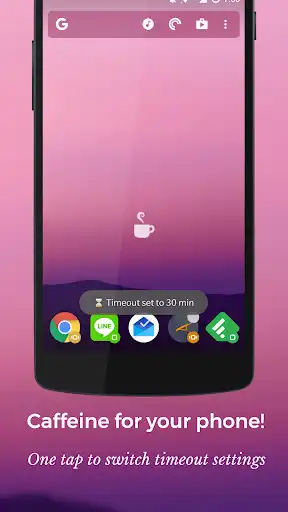
Caffeine is a small, single purpose app with no interface. Tap the icon to toggle on a 30 minute screen timeout! Tap again to return to your previous setting.
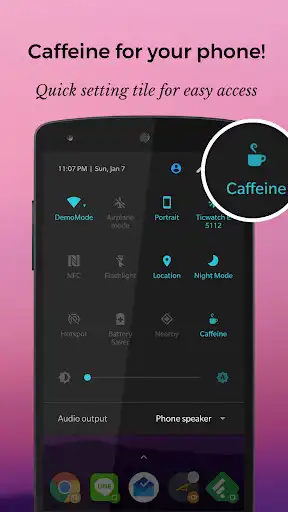
Also includes a handy Quick Settings tile! Please run the app first, then add the quick settings icon, otherwise it might not work.
I made this mostly for myself using Tasker, but figured others might find it useful as well :)
Enjoy!
Contact me:
BipolarMike on Twitter
BipolarDesign [at] Gmail [dot] com
Enjoy with UptoPlay the online game Caffeine - Toggle screen timeout.
ADDITIONAL INFORMATION
Developer: Tendershoot
Genre: Tools
App version: 1.1
App size: 2.5M
Recent changes: Enjoy your coffee
☕
Comments:
This is one of the only apps I've found that can keep the screen from timing out on my Huawei Mate 10 Pro. I've rated 3 stars because it resets the screen timeout to 15 seconds whenever I deactivate it, regardless of what I had it set to previously.
Useful, but sometimes the quick tile shows as disabled when actually it is enabled. This leads to unnecessary battery drain as one could disable it if it shows its current state properly.
Sorry for my bad review, but the app can't reset the screen timeout to the value it was before the app was activated. When deactivating the caffeine mode, the app sets screen timeout to 0. Very annoying bug, that makes this app useless for me. Also there are no configuration options, like in similar other apps.
It would be nice if manual turning off the screen would also toggle it back to phone default but, hey, its free and no ads.
Might be OEM issues, But the app didn't work for me Realme UI 2.0"
Page navigation: