


Pixel Brush: Pixel Art GIFs

Pixel Brush: Pixel Art GIFs
The official app & game
Distributed by UptoPlay
SCREENSHOTS
DESCRIPTION
Use UptoPlay to play online the game Pixel Brush: Pixel Art GIFs.
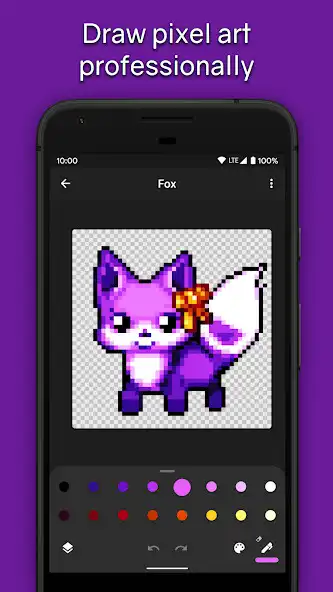
Pixel Brush is an easy to use pixel art studio to draw sprites, animations, and create videos.
Intuitive for beginners
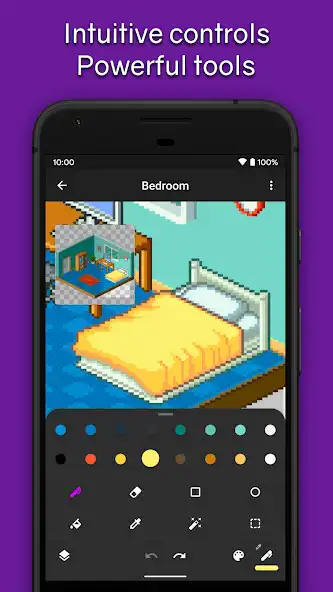
Pinch to zoom and tap to draw
Pick from professional built-in color palettes, or import one from Lospec
If you zoom in... Behold! A mini preview appears! (Try dragging it around)
Animate like a pro
Create beautiful animations with onion-skinning and image linking, then share your creation as a GIF or MP4
Speed up or slow down individual frames
Layers let you separate elements of your art, handy for organization
Grow as an artist
Share your art with the friendly community, we'd love to see your creations!
Create art on canvases up to 1024x1024
Save unlimited color palettes
Other features:
Export and import Aseprite files
NoadsinPixelBrush
Saving happens automatically, so you can focus on your creations
Sharp exports with no blurring
Create Isometric lines
You can use a mouse if you'd prefer!
Plenty more features coming soon, so follow on social media (links in app) and stay tuned!
Enjoy with UptoPlay the online game Pixel Brush: Pixel Art GIFs.
ADDITIONAL INFORMATION
Developer: Jaween Ediriweera
Recent changes: 2.0.6:
Fix issues with Aseprite importing/exporting
2.0.5:
Add ability to import animations
Add ability to import from Files
Add import/export of Aseprite format (frames, layers, linking, etc)
Add export in MP4, WebM, WebP
Increase max canvas size to 1024x1024
Improve drawing performance
Add dark mode checkerboard
Add more default palettes
Add Shop link
Tweak grid visibility
Fix UI overlapping system bars on Android 9
Fix many more issues
Page navigation: