


USB Serial Monitor - PSM

USB Serial Monitor
The official app & game
Distributed by UptoPlay
SCREENSHOTS
DESCRIPTION
Play this online game named USB Serial Monitor - PSM.
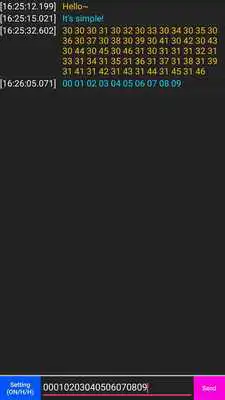
※ How to use1. Connect your device with usb of smart-phone (or tablet)
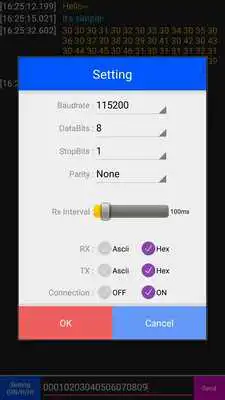
2. Click the lower left setting of application.
3. Set the serial information and click 'OK' to connect the USB port(Connection 'ON' check.)
4. Do your work!
※ Note
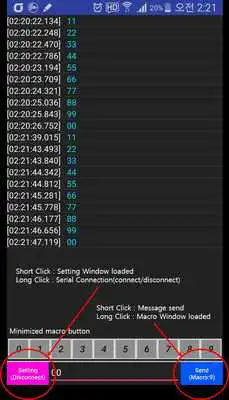
- 'Setting' Button : Short Click → Setting window loaded, Long Click → Serial connection
(connect/diconnect)
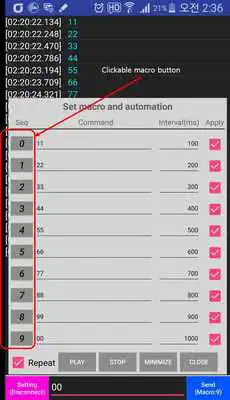
- 'Send' Button : Short Click → Message send, Long Click → Macro window loaded
(play & stop macro)
* Etc
- CDC
- RS232C
- PROLIFIC
- ARDUINO
- FTDI
- MBED
- CP210
- ATMEL
- SGS
- REX
Updates:
*2017-11-27- Bug fix.
USB Serial Monitor - PSM from UptoPlay.net
Page navigation: