


Quick-Mesh: Visual
Quick-Mesh: Visual
The official app & game
Distributed by UptoPlay
SCREENSHOTS
DESCRIPTION
Use UptoPlay to play online the game Quick-Mesh: Visual.
This application is a simple visual-editor for the quick-mesh scripting-language.
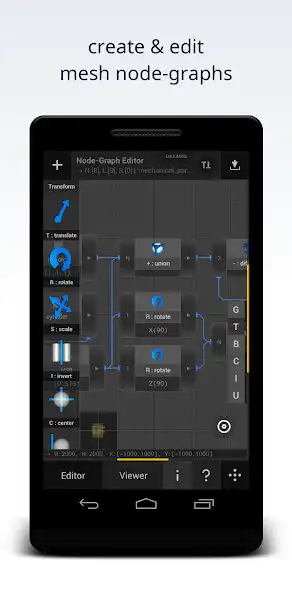
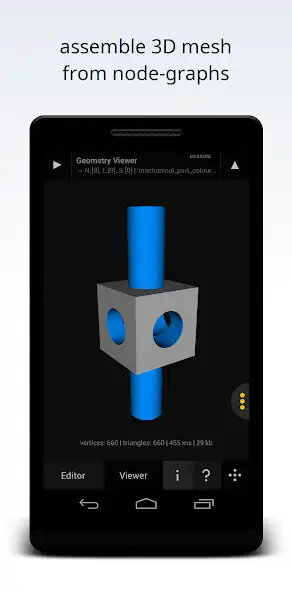
You can use this application to create 3D mesh via a node-driven graphical editing interface.
This application is designed for new users of QMSH - who may not yet be comfortable writing procedural-modelling scripts directly. In this sense it is intended to act as a stepping stone to help you gain familiarity with the QMSH grammar such that you can progress to scripting with confidence.
In other words - you can think of this program as akin to stabilisers or training-wheels used by young cyclists to help them get started. Once you are familiar with QMSH the expectation is that you graduate from this simplistic tool to the more powerful scripted QMSH Editor.
Note: this application depends on the Quick-Mesh Kernel.
Refer to: QMSH-Kernel in order to install the Quick-Mesh Kernel before installing this application. Then ensure you grant both apps storage permission to get up and running.
SUMMARY OF KEY FEATURES
Geometric Primitive Nodes:
- Platonic: Cuboid, Tetrahedron, Octahedron, Dodecahedron, Icosahedron.
- Axis-of-Revolution: Sphere, Cylinder, Cone, Torus, Capsule, Ellipsoid, Cylicone.
- Commons: Wedge, Gable, Diamond, Pyramid, Bracket.
Boolean-Logic Operation Nodes: Constructive Modelling, CSG - Union, Difference, Intersect
Euclidean Transformation Nodes: Translate, Scale, Rotate, Center, Zero
Instancing Operation Nodes: Structured-Repetition - Linear, Cartesian-Grid and Radial-Ring Arrangements
Colourisation Nodes: RGB and HSB Mesh Colouring Functions
Supported Input File-Formats: .vmsh
Supported Output File-Formats: .qmsh
Supported Mesh-Types: Triangles, Quads, N-Gons (Polygons)
Support for Mesh Smoothing-Groups: Gouraud Shading
Support for Minimal-Vertex Boolean Operations: Low-Poly-Count Polyhedral CSG
Streamlined Executable: Less than 1MB (APK)
Minimal Permissions: Requires Only Disk Access to Marshal Mesh and Save Generated Scripts
Note: this app requires permission to read and write device storage in order to marshal mesh and save output scripts. On newer Android devices this permission is no longer granted automatically upon install and must be explicitly granted by a user either via an in-app request or through app settings. If this application fails to function as expected for file-IO operations - it is because the storage permission has not been granted. To fix this - head to app-settings and enable storage access for this app. Once you've granted the storage permission restart the application (close it and relaunch it) to get up and running. The same applies to the QMSH-Kernel.
Enjoy with UptoPlay the online game Quick-Mesh: Visual.
ADDITIONAL INFORMATION
Developer:
Recent changes: - Fixed Issue with Function Invocation Overlay Persisting when Opening Graphs.
To find out more about quick-mesh visit: https://www.qmsh.org
Note: this app depends on the QMSH Kernel.
Page navigation: