


Guitar Pro

Guitar Pro
The official app & game
Distributed by UptoPlay
SCREENSHOTS
DESCRIPTION
Use UptoPlay to play online the game Guitar Pro.
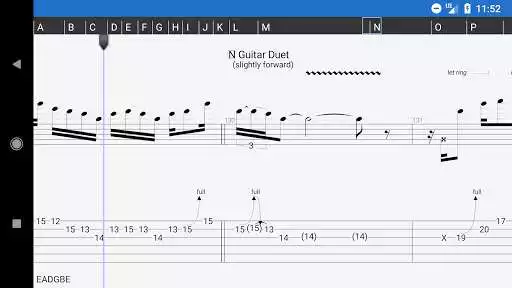
The Guitar Pro application allows all guitarists to enjoy viewing, playing, as well as writing tablature easily, right from their mobile device.
This mobile version of the famous Guitar Pro tab-editing program is the ideal companion for you to practice your favorite songs and share them at any time, anywhere!
An arpeggio, a riff, a chord sequence ringing in your head? You can now note and save all this on the single-track tablature NotePad.
Powerful score player
Supporting GP3/4/5/6/7 (.gp) file formats,
Tab (with rhythms), slash, and standard notations,
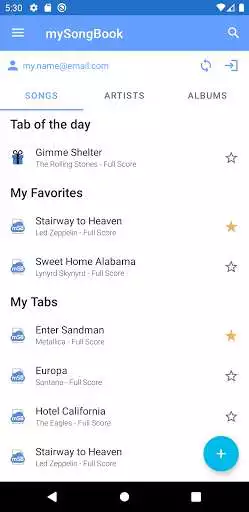
Compatible with mySongBook portal to sheet music (monthly subscription excluded),
Load files via WiFi, web browser and e-mail,
Integrated sheet-music library with search, filters, and favorites,
Multitrack player with soundboard: volume / solo-mute / soundbanks,
Metronome and visual countdown,
3 zooming levels,
Guitar or bass fretboard (for right- and left-handers), and virtual keyboard,
On-the-fly tempo changes,
On-the-fly global transposing by half-tones,
Playing any selection in loops,
Simplified navigation between sections,
E-mailing files directly from the application.
NotePad tool to create a tablature
Use the NotePad to edit a single-track tablature for guitar, bass, banjo, ukulele, and mandolin,
Tablature for 4- to 8-string instruments,
19 built-in sounds,
Customizable tuning and tempo,
Export your ideas into Guitar Pro 6 and 7 formats so as to later carry on with your composition on the Guitar Pro desktop version.
-
The app will be updated frequently, so feel free to contact our team to send a question or give your feedback.
For more info:
Need help: https://support.guitar-pro.com
Facebook: http://www.facebook.com/arobas.music
Twitter: http://www.twitter.com/arobasmusic
FAQ:
Q: Can I create or edit sheet music with this app?
A: Unlike Guitar Pro for Windows and Mac, this app does not let you change the notation in an existing Guitar Pro file, or create sheet music in standard notation. It is however possible to edit a single-track tablature with the NotePad tool. Editing a drum track is not available with the NotePad tool.
Enjoy with UptoPlay the online game Guitar Pro.
ADDITIONAL INFORMATION
Developer: Arobas Music
Genre: Music & Audio
App version: 1.7.1
App size: 27M
Recent changes: - Minor bug fixes
Comments:
I wish there was a way to get my money back. I found that I could write tabs in the note section, which was the only reason I wanted this app. It was a relatively slow process but I got the whole song written out and the only thing to do with the tabs after that point is delete them which I accidentally found only minutes after finishing. Gone, no way to get them back, with just a light swipe to the right.
I was hestitant to whether I should buy this at first, given I have gp7 on PC and it cost me 75 bucks. So bad things out of the way first: If you think this is going to replace GuitarPro on a computer, no, this sucks for making tabs. $75 vs $6, what did you expect? That being said, as a tool for reading tabs and for practicing: full marks. It does everything I need it to at it's a wonderful in helping practice on the go. It accomplishes that beautifully and thus, I believe it deserves 5 stars.
Add a function for adding repeat signs at the beginnings and ends of bars for composing notation/playback and you've got an app that was worth it.
You guys need to update this app. Certain parts of songs where there is a duration of a note, sustain for long periods of time or indefinitely. I have to pause the playback on the tab to get the note to stop its duration. Its quite annoying as it makes the tab sound cheap or inaccurate when its not. When playing the same tabs, because there are many, on the desktop version of Guitar Pro this same occurrence does not happen. Other than that, the app is great.
`Such a headache to pick up and start writing. From the "scores" menu, if I hit the "+" it tells me I need to type something in a computer and the "notepad" seems to only utilize the first 9 frets of each string. If you're experienced in this program, give it a shot I guess, but if you're a noob like me and simply want to make tabs for material you've already written, this is more hassle than it's worth.`Page navigation: