


Speak!
Speak!
The official app & game
Distributed by UptoPlay
SCREENSHOTS
DESCRIPTION
Use UptoPlay to play online the game Speak!.
Speak! is an app designed to aid the visually impaired and others that require reading assistance.
Speak! is distributed for free world-wide for the benefit of the community.
Supports any Latin based language offline: English, French, Spanish, Portuguese, Italian, German, Dutch, Danish, Turkish, Swedish, Finnish, Hungarian, Romanian, Czech, Slovak, Vietnamese.
Additional languages are supported online including Hindi, Urdu, Arabic, Farsi, Hebrew, Japanese, Chinese and Korean.
Main Features:
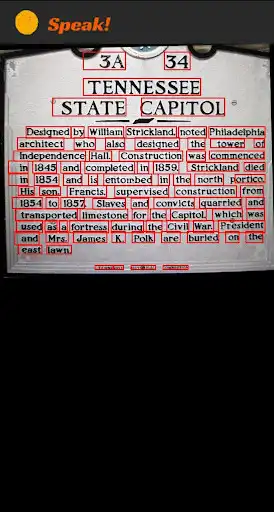
1. READ TEXT. Takes a photo, extracts the text, presents it and reads it out loud.
2. SCAN TEXT. Continuous text detection. Guides the user how to center the text in case it crosses the frame boundaries.
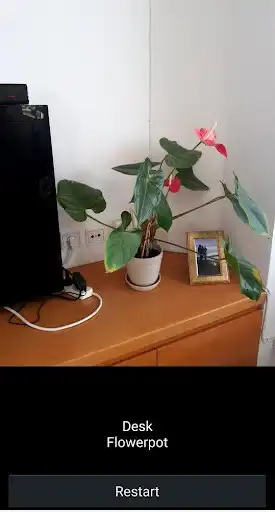
3. SCAN OBJECT. Continuous object detection.
4. SCAN COLOR. Continuous color detection.
5. SCAN BAR-CODE. Continuous bar-code detection. Can use an on-device database or search for bar-codes online.
6. SCAN MONEY. Identify U.S Dollar bills. Feature enabled in the United States only.
7. IDENTIFY. Identifies products and reads out loud the result.
Additional features:
1. Share text, images or pdf files to speak for reading.
2. Automatically detects language of text
3. Supports huge fonts and different color contrasts for partially sighted
4. Full text extraction or relevant text only
5. Set talking speed and text to speech engine
6. Zoom in and out using pinch gestures
Enjoy with UptoPlay the online game Speak!.
ADDITIONAL INFORMATION
Developer: High Mountain
Genre: Tools
App version: 2.46
App size: 39M
Recent changes: Fixed bug where Speak drained battery by its accessibility service even when app was closed.
Comments:
Looking for an app for in-laws with bad eyes. This app is pretty amazing when it comes to parsing a text accurately. Once it is better I would definitely buy the premium. Until then I will live with its shortcomings such as treating decimal points as periods (it reads 8.99 as eight (stop) and ninety nine as the start of the next sentence). It also fails to ignore fancy drop caps and tries to parse it as bunch of letters. The only one word it messed up was "Imagine" where it dropped the I. ⭐⭐⭐⭐⭐
Excellent. Losing the feel option was the righght thing to do.The revision of the interface is an improvement. Perhaps the bar code scanner could read the first result it finds. Just going to the results can be confusing to the totally blind user. Well done High Mountain.
`Initially looks promising, however I tried an article in "The Times" and it didn't recognise column separation, so concatenated text from each column, but generally read text correctly. "Seeing AI" can detect if text is upside down, but this app doesn't appear to do that.`,This is a great tool for visually impaired users who want to be able to quickly scan and either hear or enlarge text. most OCR apps seem to offer export of text but not immediate enlargement and reflowing. This is similar to Seeing AI on iOS and is a great alternative for Android users.
It just wasn't the. App I was looking for at this time. I tried it , good , uncomplicated visual support for the visually I'm paired. Lower vision?? No It is impossible for me to even work the app, because I need a nother device to read that n instructions. Low vision with a liteness✅"
Page navigation: