


Be Fabulous PHOTO BOOTH

Be Fabulous PHOTO BOOTH
The official app & game
Distributed by UptoPlay
SCREENSHOTS

DESCRIPTION
Use UptoPlay to play online the game Be Fabulous PHOTO BOOTH.
Are you in a mood for some selfies?
Yes?
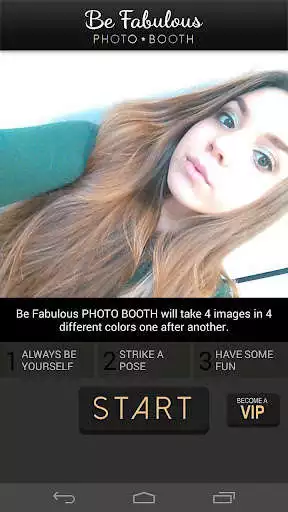
Get ready, strike a pose and press START to have some fun!
Be Fabulous PHOTO BOOTH will take 4 images in 4 different colors one after another. Screen flash will flash in 4 different colors. Final result will be amazing photo collage. When done share your image with your friends on social media to show everyone how fabulous you really are!
Be Fabulous PHOTO BOOTH app was inspired by famous Andy Warhol's Marilyn Monroe Prints. Be Fabulous just like Marilyn Monroe was. Pop Art movement is back!
Be Fabulous PHOTO BOOTH uses front facing selfie cam and colorful screen flashes when taking pictures. Previously taken photo collages can be found in your phone's gallery. Play with taking photos in different light conditions, also try taking photos at night or in dark places for specially fabulous pop art results.
You are a very important person and you can let everyone know of your importance by Becoming a VIP. Become a VIP adds "VIP" tag to image and removes all advertisements.
Always remember: You are Fabulous!
Like us on Facebook: https://www.facebook.com/gammaplay/
Follow us on Twitter: https://twitter.com/GammaPlay
Enjoy with UptoPlay the online game Be Fabulous PHOTO BOOTH.
ADDITIONAL INFORMATION
Developer: Gamma Play
Genre: Photography
App version: 1.07
App size: 1.7M
Recent changes: Thanks for using Be Fabulous PHOTO BOOTH! We bring updates to Google Play regularly to constantly improve speed, reliability, performance and fix bugs.
Comments:
Just what I hoped it would be. Great app. It even counts off the three pics in succession so you can get ready to pose!
Very well made app I enjoy using with my 3 year old, she poses for every shot taken. Love it!
Easy to use. Unfortunately no option to switch camera.
It's simple and straight forward.
It just took pictures of me. I wanted to use pictures from my gallery.'
Page navigation: