


Qvideo

Qvideo
The official app & game
Distributed by UptoPlay
SCREENSHOTS

DESCRIPTION
Use UptoPlay to play online the game Qvideo.
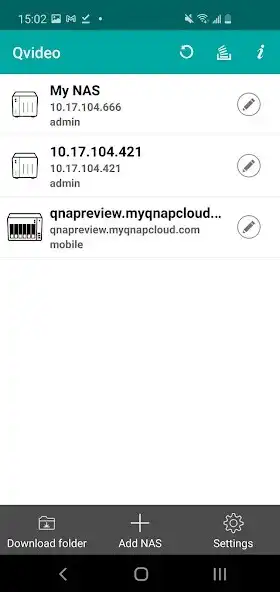
With Qvideo, you can watch the videos stored on your Turbo NAS from mobile devices at anytime and anywhere. You can also share your favorite movies by sending them to your friends and family.
Minimum Requirements:
A QNAP Turbo NAS running QTS 4.0 (and above) with Video Station 5.0.0 (or above) installed.
An Android device (7.0 and above)
Key Features:
-Find your favorite videos quickly by browsing using timeline, thumbnails, list, or folders.
-Stream and enjoy your videos to mobile devices anytime, anywhere.
-Tag, categorize, and edit video information to organize your collection.
-Directly upload videos made with your Android device to your Turbo NAS.
-You can play online videos from the NAS and play locally.
-Find your videos by searching based on title, date, tag, rating, or color labels.
-Create a share link to send your videos to friends & family via social networks, message or email.
-Supports Qsync for synchronizing files between Qsync-enabled devices and applications.
-Recover accidentally-deleted videos using the Trash Can folder.
-Supports a variety of connections methods to access your Turbo NAS faster.
- Support video streaming with Chromecast (A Chromecast dongle is required)
If you have any problems regarding this app, please contact us at [email protected] and we will aim to help you ASAP.
Enjoy with UptoPlay the online game Qvideo.
ADDITIONAL INFORMATION
Developer: QNAP
Recent changes: [Important Notes]
- QNAP is discontinuing maintenance for Qvideo starting from October 1, 2023. Qvideo users can switch to QuMagie for remotely browsing photos and videos stored on their NAS.
Page navigation: