


Weather Black Premium Watch Face
Weather Black Premium Watch Face
The official app & game
Distributed by UptoPlay
SCREENSHOTS
DESCRIPTION
Use UptoPlay to play online the game Weather Black Premium Watch Face.
NOT FOR SAMSUNG GEAR S2/S3 NO TIZEN COMPATIBILITY
Not compatible on Sony Smartwatch 3
Weather Black Premium Watch Face
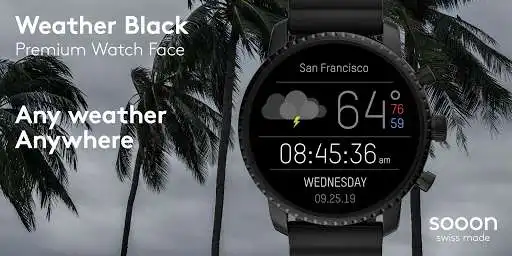
Dont miss our powerful digital watch face focusing on providing beautiful weather data. This version will definitely catch the eye of every onlooker. Use any of the 4 different dials to collect the most essential information about weather.
Any weather, anywhere!
Swiss made watch faces created by experienced watch designers.
Check http://www.white-group.com/
Premium features and settings
Choose between 4 different dials:
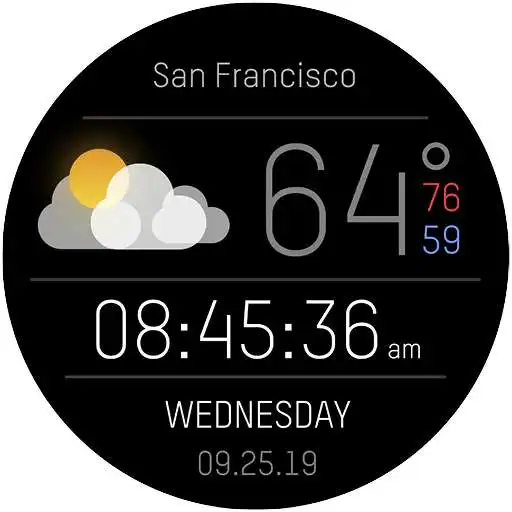
1.\tMain dial: focuses on the current weather. Min and max temperature of the day are also shown.
2.\tSecond dial: graph focuses on the forecast for the upcoming hours.
3.\tThird dial: extends the second dial by providing a more detailed forecast of the next
12h/24h
4.\tForth dial: graph shows the forecast for the upcoming 5 days.
Free features and settings
Choose between 2 powerful weather providers:
- OpenWeatherMap
- Dark Sky
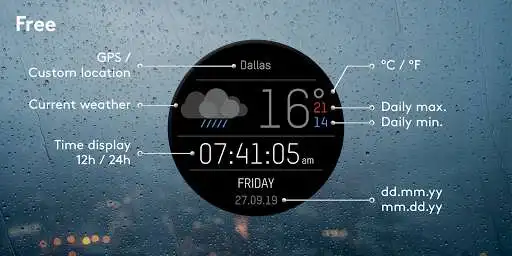
Date format (dd.mm.yy / mm.dd.yy)
Get weather data from your current location (requires GPS permission), or a manually defined location
Choose between Celsius or Fahrenheit
Specifications
\tOptimized for low battery consumption
\tDeveloped for Wear OS 2.0
\tINCOMPATIBLE WITH SAMSUNG GEAR S2/S3 AND TIZEN DEVICES
\tNo ads
Installation
From your smartwatch
1.\tOpen the playstore app via your wear device
2.\tDownload and install the watch face
3.\tLong press and swipe right to add more watch faces
4.\tSelect your new watch face
5.\tDont miss it!
Should you experience any problem please contact us instead of smashing us.
We will get in touch with you asap.
Enjoy with UptoPlay the online game Weather Black Premium Watch Face.
ADDITIONAL INFORMATION
Developer: SOOON
Genre: Personalization
App version: 1.1.5
App size: Varies with device
Recent changes: Fix issues with weather data not syncing properly
Comments:
It stopped showing the weather display and only shows the time after 8:00 at night... I've uninstalled every app and reset the watch. Reinstalled everything and updated the app. Still no success... Anyone know how to fix this? Developer won't respond. Took them five days to update, but they got it working. Best looking and most informative weather face. Thanks team. Would recommend. Be patient.
Keeps telling me to install premium to unlock. When I go to playstore it show install to watch. Over and over. Locks me out of my watch.
Was my favorite face for my Casio F20, but it stopped working. EDIT: Developer responded, fixed the problem. Thanks! However, now it's no longer compatible with my LG W7. Sigh...
Finally weather is fixed. Thank you! Now can you fix customizations on the Wear app? Right now can only do this on the watch itself. Whenever I try to customize in Wear, it takes me back to the app on the play store.
I love this watch face, but it stopped working today after the latest update! Only displays the simple time and nothing else.'
Page navigation: