


OCR Scanner App with LEADTOOLS SDK

OCR Scanner App with LEADTOOLS SDK
The official app & game
Distributed by UptoPlay
SCREENSHOTS
DESCRIPTION
Use UptoPlay to play online the game OCR Scanner App with LEADTOOLS SDK.
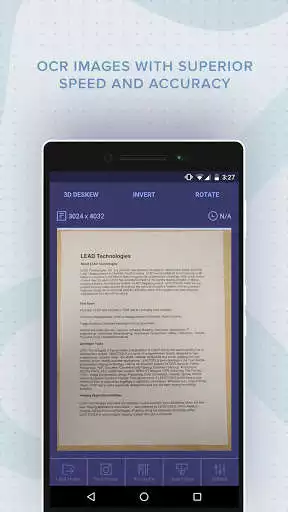
The OCR Scanner App powered by LEADTOOLS can perform Optical Character Recognition (OCR) on images, extract text from images, and convert images to various document formats with superior accuracy and speed.
OCR, extract, copy & paste the text from an image taken with your phone's camera or photo gallery for editing and sharing.
Convert and export images to a variety of document formats, including: PDF, DOCX, Text, SVG, and many more.
OCR images in English, Spanish, French, German, and Italian (text to speech playback in each language as well).
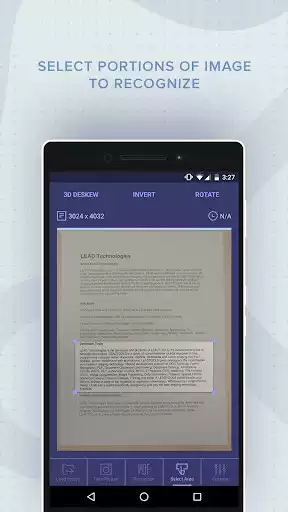
Select portion of image to export to raw text with two select area modes: Selection Rectangle or Touch & Drag
Copy image from the viewer
Text-to-Speech "Speak" option for phone playback of extracted text
Numerous options for optimizing text recognition including Invert, Rotate, and 3D Deskew
Use the Intelligent Select Area option that allows you to select an area of an image that has both text and graphics and intelligently extract the text.
Developers NOTE: This is one of the applications that is provided with source code in LEADTOOLS, the award-winning SDK for programmers. This application is built using the LEADTOOLS Advantage OCR engine. This app is intended to show developers some of the many capabilities that they can integrate into their own applications using LEADTOOLS. For more information or to play online a free evaluation SDK of our full toolkit, including the source code for this app, visit: https://www.leadtools.com/sdk/ocr
We love your feedback! Please feel free to share it with us anytime at: [email protected]
Enjoy with UptoPlay the online game OCR Scanner App with LEADTOOLS SDK.
ADDITIONAL INFORMATION
Developer: LEAD Technologies, Inc.
Genre: Tools
App version: 3.8.0
App size: Varies with device
Recent changes: Enhanced text recognition and output formatting with update to the new version of LEADTOOLS V22
Comments:
Pretty good, but you have to make sure that the page being scanned is as flat as possible, with few lines and creases.
it is very good.just needs little polishing.and the camera does not have autofocus option. improve it.
great app fast and accurate
Dosen't work
Plz don't install this malware. It is doing something like hacking or mining stuff. Completely fake app. Freezes screen and controls your device. Can't even close it without removing the battery from device."
Page navigation: