


Image Measure
Image Measure
The official app & game
Distributed by UptoPlay
SCREENSHOTS
DESCRIPTION
Use UptoPlay to play online the game Image Measure.
Draw a line as a reference length on the image. Once the reference is set you can measure any place on the image as relative length based on the reference.
Usage examples)
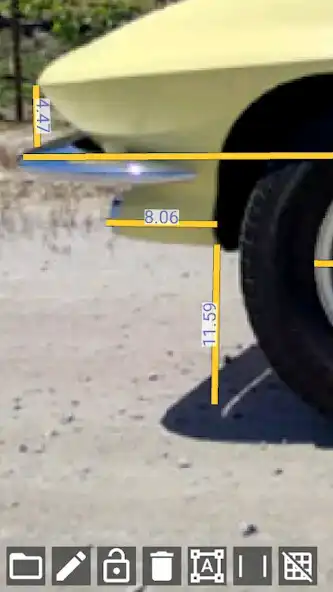
- Measuring arbitrary part of neighbour's car from blueprint
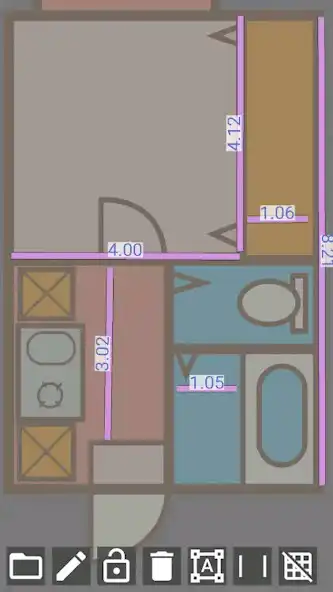
- Measuring the bath room size from floor plan
- Measuring the height of a celebrity who falsely claiming to be taller than he/she is.
The app is for 2D image, but you can transform perspective image into a plane so you can measure them (in that case you need to have TWO known lengths as vertical and horizontal as the reference)
FAQ
Q: Line length changes on scaling
A: Before setting a reference the line length is the same as screen pixel size. Please set the reference.
Q: I can't specify unit!!
A: You should know the unit because you type the reference. You can convert the length as centi-meter or percec whatever you want.
Q: After transforming the image flew away from the screen
A: It is because of the calcutation. Please try tweaking the transform shape.
Q: After transforming the lines shifted from the image
A: Transforming doesnot effect to lines. Draw lines after transforming.
Enjoy with UptoPlay the online game Image Measure.
ADDITIONAL INFORMATION
Developer: BackCasey Software
Recent changes: v1.1.1 Changed TargetSDK to 33
v1.1 Changed Markers position get reset after transforming image.
v1.0 First release
Page navigation: