


Smart Rotate: Screen Rotation Control
Smart Rotate: Screen Rotation Control
The official app & game
Distributed by UptoPlay
SCREENSHOTS
DESCRIPTION
Play this online game named Smart Rotate: Screen Rotation Control .
Smart Rotate: Screen Rotation Control is sait,smartrotate,tools,smart,rotate, content rating is Everyone (PEGI-3). This app is rated 5 by 1 users who are using this app. To know more about the company/developer, visit Clever Apps website who developed it. com.sait.smartrotate.apk apps can be downloaded and installed on Android 5.0 and higher Android devices. The Latest Version of 2.8.24 Available for download. Download the app using your favorite browser and click Install to install the application. Please note that we provide both basic and pure APK files and faster play online speeds than APK Mirror. This app APK has been downloaded 5308+ times on store. You can also play online com.sait.smartrotate APK and run it with the popular Android Emulators.
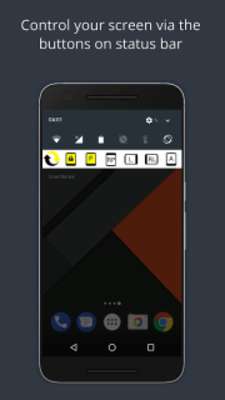
Smart Rotate is a screen rotation control app that will give you full control of your screen. You can easily rotate and lock your screen orientation via the buttons on notification panel or the widget. You can also set up smart rotation events.

Modes of rotation:

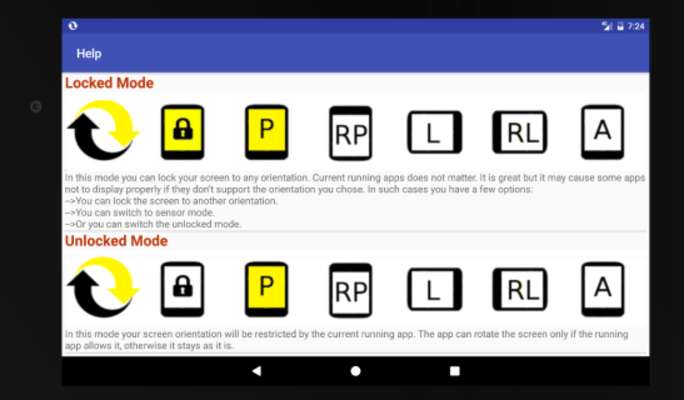
•Forced(locked) Mode
In this mode you can lock your screen to any orientation regardless of the current running app. It is great but it may cause some apps not to display properly.

•Normal(unlocked) Mode
In this mode your screen orientation will be restricted by the current running app. The app can rotate the screen only if the running app allows it, otherwise it stays as it is.

Per App Rotation
Lock your screen to any orientation when a specific app launched. The screen will rotate to the previous orientation when you go back to home screen unless you rotate it manually or interrupted by another auto-rotate feature.

Headset
Lock your screen to any orientation when headset is plugged in. The screen will return back to the previous orientation when headset is plugged out unless you rotate it manually or interrupted by another auto-rotate feature.

On Power
Lock your screen to any orientation when your device is plugged in. When the device is removed from charger it will return back to the previous orientation unless you rotate it manually or interrupted by another auto-rotate feature.

Pricing
To configure more than 2 apps with Per App Rotation feature, you will need to upgrade to premium version. If you upgrade to premium version, you won't see the ads in the app in addition to unlock this limitation. All other features are free without a limit.

This app uses Accessibility services.

This is necessary to get notified when an application is launched. This information is only being used for "Per App Rotation" feature. If the launched app is a configured application in Per App settings, the app rotates the screen.
Updates:
Smart Rotate: Screen Rotation Control from UptoPlay.net
Page navigation: