


Mi Band Selfie

Mi Band Selfie
The official app & game
Distributed by UptoPlay
SCREENSHOTS
DESCRIPTION
Use UptoPlay to play online the game Mi Band Selfie.
This simple app turns Mi Band 2/3/4/5/HRX & Amazfit Bip/Arc as a remote shutter to your phone's camera
Review in English https://www.youtube.com/watch?v=IDDiqP2NA-4
Review in Hindi https://www.youtube.com/watch?v=axZ98ohrkvs
Tinjau dalam Bahasa Indonesia
https://www.youtube.com/watch?v=yh8W6B1q7AM
If the app does not connect to Mi Band 2 or is connected, but does not work, you need to turn Bluetooth off and on, and after that the app will connect and work stably.
This app only works with the apps:
Open Camera ( https://play.google.com/store/apps/details?id=net.sourceforge.opencamera )
Circle Camera ( https://play.google.com/store/apps/details?id=com.camera.at.circle )
Night Selfie Camera ( https://play.google.com/store/apps/details?id=hu.kiti.development.camerademo )
Bacon Camera ( https://play.google.com/store/apps/details?id=com.fgnm.baconcamera )
Free Camera ( https://play.google.com/store/apps/details?id=net.sourceforge.freecamera )
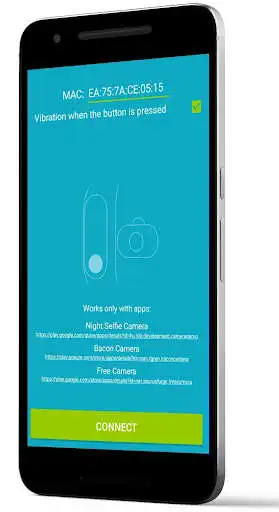
Enter the MAC of your Mi Band 2/4/HRX & Amazfit Bip/Arc and press CONNECT and wait until DISCONNECT appears.
When the bracelet is connected, it vibrates.
Then open the app Free Camera and click button on the bracelet.
You can see the MAC in the app Mi Fit - Profile - Devices Mi Band 2/Amazfit - MAC below.
Enjoy with UptoPlay the online game Mi Band Selfie.
ADDITIONAL INFORMATION
Developer: Aleh Tsitou
Genre: Photography
App version: 4.4
App size: 1.8M
Recent changes: Supports Open Camera, Circle Camera, Night Selfie Camera, Bacon Camera and Free Camera
for Mi Band 2/3/4 & Amazfit Bip
Comments:
Works with Miband 3, just in a weird way, you need to toggle the silent on/off switch feature of the band to make it take picture. Because No dedicated camera function pop up in the band, Weird, but work. What's annoying is it keeps sending Chinese message notifications every time the capture command is sent... Why is that? Can the dev clarify if this is what he intended?
The idea is nice. And it can prove to be the poor person's camera remote control. Yet some larger apps already incorporate this functionality amongst others. Nice if you are only using the official Mi Fit app and still want the remote functionality.
It does what it promises, no idea what other users are experiencing. It could look nicer, maybe display something on the band, though I'm sure there is a technical limitation on this.
Superb App. The Good this is that it's now available for all mi bands, Specially for mi band 3 because i have mi band 3 So Thank You for this. I hope in future this app updated again and again with New beautiful features.
why it is disconnecting so frequently? Sometimes app is showing connected but all of the sudden it stops taking pictures. Please improve these issues and I support your efforts.'
Page navigation: