


Fingerprint Password Manager

Fingerprint Password Manager
The official app & game
Distributed by UptoPlay
SCREENSHOTS
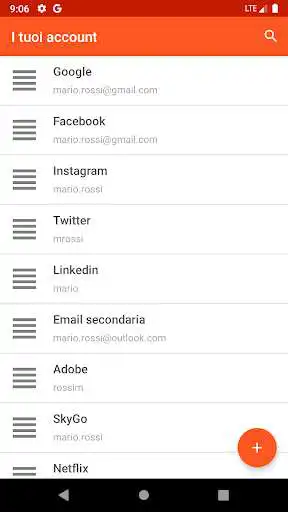
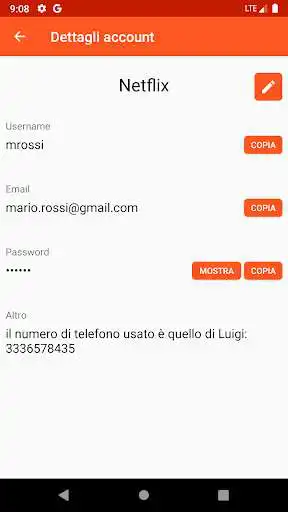
DESCRIPTION
Use UptoPlay to play online the game Fingerprint Password Manager.
What this app offers:
Store unlimited passwords securely and using Android Keystore (offline).
Access them using your fingerprint (if supported) or PIN.
Export your entries.
Import your entries to another smartphone by copying the exported file to your new smartphone.
Generate passwords
Notice!: If the app asks permissions for INTERNET access the reason is that I added in app purchases to upgrade to PRO version. You can block this permission if you aren't going to upgrade.
Notice!: The file after export isn't encrypted. You should delete it after using it.
* For any bugs/problems please feel free to contact me.
Frequently Asked Questions
Q: How can I put photos in a password entry?
A: The app automatically checks the entry name and puts the correct image. For example if you enter "FB", the facebook image will appear.
Q: How can I delete a password entry?
A: You can delete an entry by long pressing on it.
Q: I paid and the pro version isn't enabled. How can I fix this?
A: If the payment process was successful but PRO version isn't enabled for whatever reason, press the "Restore Purchase" button and the PRO version should be activated.
Q: What are the benefits of PRO version?
A: By upgrading to PRO version you get extra color themes, ability to add extra input field inside a password entry and finally extra security by adding the ability to wipe all your passwords after set pin of tries.
Q: Is the subscription monthly? Do I have to pay every month?
A: No. You pay once and you have the pro version forever
Q: Why the PIN setting is disabled on my phone?
A: For 2 reasons. 1) Your phone doesnt support fingerprint 2) You dont have a saved fingerprint in your phone.
Q: Where is the exported file stored? Is it encrypted?
A: When you export your entries, the file is created in the root folder of your smartphone with the name "fngprnt_pass_mngr_entries.txt". The file that is exported is not encrypted so you should delete it after you are done using it.
Enjoy with UptoPlay the online game Fingerprint Password Manager.
ADDITIONAL INFORMATION
Developer: Konstantinos Giotis
Genre: Productivity
App version: 5.9
App size: 7.1M
Recent changes: • Fixed a bug: Editing a new entry, disables the title sorting
Comments:
Unpredictable. It is better already in font/icon sizes and can be easier opened with fingerprint (while in the past could often refuse). However, I met a problem which makes its useless. I tried to transfer passwords from one phone to same replacement (the same model of the same company). On a new phone it does not import or export. Since storage permission is provided, I do not know what else can help to move passwords to a new phone.
Very good app, easy to use with lots of features. Love that it uses a finger print to open so I don't have to remember another code. Also has a password generator which is great. Update: A nice feature would be the ability to sort my passwords alphabetical by title.
After the last update many of my passwords got mixed up. I can consider many of these lost. Therefore, after reviewing this app the developer quickly replied with explanation, there was a bug that caused the issue...I was offered support.
Very straight forward and easy to use. Since I downloaded this app I can enter safely and fast in all my other apps and websites that require passwords. I would definitely recommend it
Page navigation: