


VBE GEO TEXT PRO

VBE GEO TEXT PRO
The official app & game
Distributed by UptoPlay
SCREENSHOTS
DESCRIPTION
Play this online game named VBE GEO TEXT PRO .
VBE GEO TEXT PRO is vbegeotextpro,tools,text, content rating is Everyone (PEGI-3). This app is rated 5 by 1 users who are using this app. To know more about the company/developer, visit VBE INC. website who developed it. com.VBE.VBEGEOTEXTPRO.apk apps can be downloaded and installed on Android 2.3.x and higher Android devices. The Latest Version of 1.3 Available for download. Download the app using your favorite browser and click Install to install the application. Please note that we provide both basic and pure APK files and faster play online speeds than APK Mirror. This app APK has been downloaded 154+ times on store. You can also play online com.VBE.VBEGEOTEXTPRO APK and run it with the popular Android Emulators.
VBE GEO TEXT PRO:

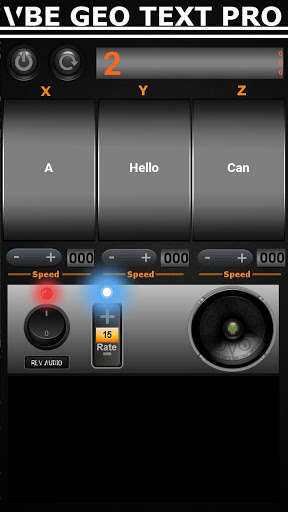
This puppy is beyond awesome. Not only does it have GEO TEXT, is has it Times 3. Now, depending on what sensor is activated. That particular sensor will now stop on whatever text, the spirit chooses.

Geo Text, auto calibrates for the position the device is placed. Simply hit the RESET, to move to a new location.

VBE - REV AUDIO:

This audio loop, has 1 male, 1 female and a group of people, playing in Reverse with Reverb added. No static, just variable audio tones. Perfect for getting a clear response. It is effected also by the Sensors that run GEO TEXT.

Rate Cut Out:

This new Rate Cut Out, goes up to 99. It is effected also by the Sensors that run GEO TEXT. This cut out, is highly effected. The Cut Out itself, will be effected throughout the investigation.

VBE VIDEO ITC:

This Video GIF, has 4 parts. While GEO TEXT, is running. Any active sensor, will change the Video Display to said sensor.

HELP INFO:

To get the best results using GEO TEXT PRO.

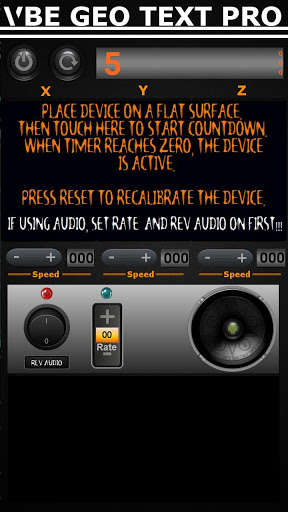
1) Place Device on a Flat Surface.

   1a)  If using VBE REV AUDIO, turn on audio and set rate.

2) Press the Help Info Screen.

3) Timer will count down to 0, then disappear. GEO TEXT PRO, is now active

INVESTIGATION HELP:

CHECKING CALIBRATION.

 Simply tap anywhere around the device. You should trigger the device.

SPIRIT HELP:

Simply ask the spirit to touch the device, when they see their word choice.

Please, give the spirit time to get used to using the application.

At first, you may get odd responses when triggered.

VBE REV AUDIO:

While using this application, simply ask the spirit to speak into the direction of the audio. Best results, can be had by propping the device up with an object. I.E. Pencil, rock, etc...  This will allow the surface to magnify the audio.

PLEASE REMEMBER:

If using something to prop up the Device. Make sure to Calibrate the device prior or again.

Moving the device, while GEO TEXT PRO, is running. Will cause undesirable effects. Calibration, must be completed before every move.

VIDEO Provided by: KEVIN HIMES

THANK YOU, to everyone who has purchased previous  and current,VBE Applications. Greatest luck on your Investigations or Hunt. = )
Updates:
VBE GEO TEXT PRO from UptoPlay.net
Page navigation: