


Altec Smart 2

Altec Smart 2
The official app & game
Distributed by UptoPlay
SCREENSHOTS

DESCRIPTION
Use UptoPlay to play online the game Altec Smart 2.
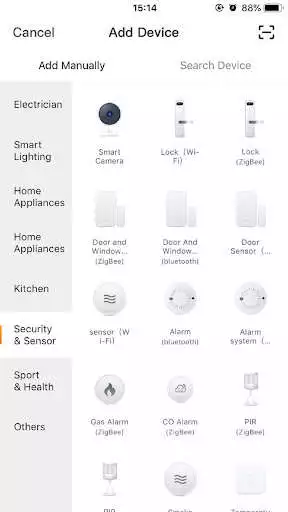
The Altec Smart Security System 2 app allows you to easily connect and control your Live Video IP Cameras via any mobile device from anywhere and to setup your Live Voice Speakers to control your smart home with your voice.
With the Altec Smart Security System app, you can see what is going on in your home 24/7. Get automatic alerts from your Live Video IP Cameras on motion and sound detection events. The Speakers section is the entry point for the quick start guide and user manual for your Live Voice Speakers.
Enjoy with UptoPlay the online game Altec Smart 2.
ADDITIONAL INFORMATION
Developer: Sakar International, Inc.
Genre: Tools
App version: 1.0.8
App size: 69M
Comments:
The light itself is beautiful. The app is absolutely awful. Daily I have to uninstall it amd reinstall it in order to make the live screen function at all. Unfortunately without the live screen you cannot control anything including simply turning the light on and off. Please fix this. It'd be a shame to spend the time and effort to design a beautiful product only to skimp out on the software required to run it.
Horrible. I was so excited when I got this bulb but then it kept going on and offline. It wouldn't stay connected. I ended up returning it. Ugh
I can't access the live view. Added a sim card to see if that would help. So far nothing. There is nothing on the web pages or help desks to get this issue fixed. 2 stars.
The last update was an improvement, but it still has some annoying limitations & confusing language. ETA: When setting up tap to run/automation, the bulb control options are limited to switch/brightness (no option for color or scene) so there is no way to control whether the light is white or colored when it comes on, unless I make sure it is set to that color the last time it is used. There should be a way to select a "scene" when setting up automation.
The device blinks once and then stops. Setup doesn't work. What a waste of money."
Page navigation: