


Mechanical GO TaskManager EX

Mechanical GO TaskManager EX
The official app & game
Distributed by UptoPlay
SCREENSHOTS
DESCRIPTION
Play this online game named Mechanical GO TaskManager EX .
Mechanical GO TaskManager EX is launcherex,theme,appwidget,taskmanagerex,mechanical,personalization,taskmanager, content rating is Everyone (PEGI-3). This app is rated 5 by 1 users who are using this app. To know more about the company/developer, visit GO Launcher EX website who developed it. com.gau.go.launcherex.theme.appwidget.taskmanagerex.mechanical.apk apps can be downloaded and installed on Android 2.2.x and higher Android devices. The Latest Version of 1.3 Available for download. Download the app using your favorite browser and click Install to install the application. Please note that we provide both basic and pure APK files and faster play online speeds than APK Mirror. This app APK has been downloaded 286+ times on store. You can also play online com.gau.go.launcherex.theme.appwidget.taskmanagerex.mechanical APK and run it with the popular Android Emulators.
◆Brief introduction

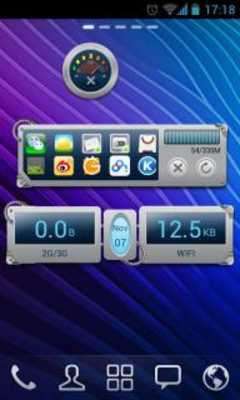
The 'Mechanical' theme is only suit for System Widget of GO TaskManager EX v1.3 and up. Try this new look now!

* 'System Widget' also known as 'AppWidget' in GO TaskManager EX

◆Important tips

1. Make sure you have installed the latest version of GO TaskManager EX and upgrade to the 'PRO version'.

2. Open the GO TaskManager EX and click the 'Widget Theme' icon in the home screen.

3. Find 'Pure Black' theme you have installed in 'System Widget'.

◆How to add a System Widget?

1. Press 'menu'- choose 'add'-choose 'Widgets'-Find GO TaskManager EX

2. Make sure that you have enough space to place the widget
Updates:
Mechanical GO TaskManager EX from UptoPlay.net
Page navigation: