


comics and cartoon maker

comics and cartoon maker
The official app & game
Distributed by UptoPlay
SCREENSHOTS

DESCRIPTION
Use UptoPlay to play online the game comics and cartoon maker.
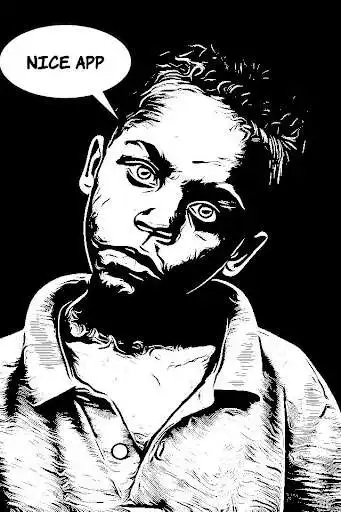
Comica is a free, easy-to-use app that turns photos into comics/cartoons. You can select any picture from your gallery, or take a new one through the app. After you choose your filter, you can add speech balloons to achieve an even more convincing comic effect. This is the easiest way to cartoon yourself you can find online.
How does it work?
* Download Comica
* Choose an option - take a photo or browse your gallery
* Pick the photo effect best fitting your freshly created cartoon
* Add speech balloons in the picture
* Save and share with your friends
Comica is also the perfect meme creator. Adding speech balloons in pictures is now possible with a few swipes and a little bit of creativity.
Why choose Comica?
* Easy-to-use
* The app is light and it runs smoothly on any phone
* Legit looking comics effect
* You can create your own memes
* Comika is a free app
This comic foto app is meant to be easy to use and its simple design guarantees great user experience. Also, it runs lightly and even older smartphones wont have problems with it. The photo to cartoon option is free, as well as the speech balloons, but if you want to bring things to the next level, you can purchase additional features from the Big Sale section. Are you a big spender? Even if you are not, you are definitely fit to fully enjoy this photo to comics app.
Whether you want to have fun with your friends or you are just a comics lover looking for cartoon yourself free apps, Comica is definitely worth downloading. Get it, try it, and enjoy yourself.
Enjoy with UptoPlay the online game comics and cartoon maker.
ADDITIONAL INFORMATION
Developer: Game Brain
Recent changes: Temporarily removed the "background change" option since there are some issues with the underlying library that have to be sorted out first
Page navigation: