


Stream for Xbox One
Stream for Xbox One
The official app & game
Distributed by UptoPlay
SCREENSHOTS
DESCRIPTION
Use UptoPlay to play online the game Stream for Xbox One.
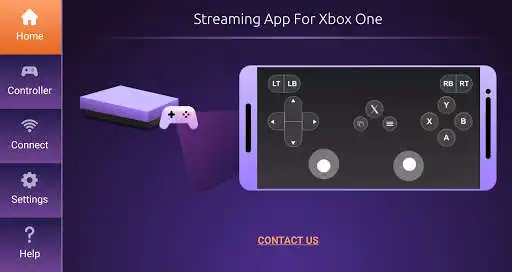
This Stream for Xbox One app allows you to use your smartphone as a remote xbox console, and allows you to stream the video of any game from your xbox to your phone, and it may also be used as a controller for your xbox one device.
Now you can play in your xbox one device even if the TV is used, because you can stream everything from the xbox to your smartphone, and also use your smartphone as a controller with this app.
Thanks to this app, there is no need to buy an expensive extra Controller for Xbox, you can just play online this app from any android smartphone and use the smartphone as an Xbox Controller, or you can just keep playing on the xbox with your regular controller on the TV, and let your friends see the whole game in the phone using the streaming view, because this app is also used as a Stream app for Xbox One.
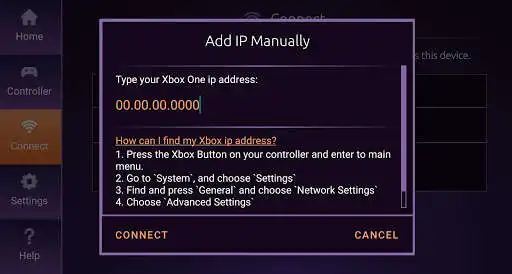
The app is easy for use - all you need to do is to turn on your Xbox device, connect your phone to the Wi-Fi, and then you can connect the app to your Xbox.
Then you can stream the game to the app and also use it as a controller.
What to do if there is no streaming to the app or the controller app doesn't work?
- You need to make sure your Xbox and your smartphone are connected to the same Wi-Fi network
- Verify your Xbox allows other devices to connect to it. (If you are not sure how to do it, you can play online the stream app and find the instructions how to do it)
- Stream isn't working? wait a bit until you get a stable image.
- Still not working? You can also contact us through the app and let us know.
* This app is not an official Xbox app, but with this app you can Stream games from the Xbox One device to your phone or use it as a Controller for Xbox and play your Xbox with your smartphone.
Enjoy with UptoPlay the online game Stream for Xbox One.
ADDITIONAL INFORMATION
Developer: maTools - Controller and Streaming
Genre: Tools
App version: 1.0.6
App size: 7.9M
Recent changes: - Cool app design
- Comfortable to use
- Stream for Xbox One to your phone. You can use it as your new controller as well.
- Please make sure that your smartphone and your Xbox device are both connected to the same Wi-Fi network
- Added an option to purchase an ads free version
Comments:
This app SUCKS. It won't connect... I looked in the settings &it told me I had to go to my Xbox settings? I have NO CONTROLLER, thats why i downloaded this app? It sucks, DO NOT DOWNLOAD!!!!!!!
I wish they would fix this so that: A) You weren't forced to pay for ad free (it's completely unusable without it. If you don't believe me, try it) B) The soft buttons (home button, etc) auto hide. Currently, they're on the screen 100% of the time Sadly, it's the best of the two available apps. @devs Are you guys accepting applications? I'll load this up in Eclipse Studio right now and fix these bugs for free! It would be worth every second of my time to have a working xb stream app.
`I forgot to bring an extra xbox controller when visiting a friend so we couldn't play "A Way Out". I downloaded this and in under a minute I was able to connect and play on my xbox with my phone as an extra controller. An ad that asks you to buy the ad free version pops up occasionally and is annoying, but honestly it's worth the 2 dollars for how easy and useful it`,This app works when xbox app doesnt. Literaly. Streaming only works when the xbox is on, unlike xbox app which only streams if xbox is off and in insta power on mode. My experience was that at first I had issues due to how the hdd that I had connected was not recieving enough power. It somehow disabled streaming. Its a new app so its buggy. If you experience an issue while streaming I suggest you use a normal controller, go to the xbox menu and select stop streaming. It fixed an issue for me.
I had some issues at first but when I contact the developers they were nice and even offered a refund the problem was fixed even though I still got ads in the paid version while on the menus once I'm connected to my Xbox there is no ads which is a good thing cuz I'm a streamer that's the only reason I give it four stars I shouldn't have no ads if I pay for it menu or in game overall it's a very good app if you're trying to stream Xbox 360 games since it's not allowed on remote play"
Page navigation: