


Screen Balance
Screen Balance
The official app & game
Distributed by UptoPlay
SCREENSHOTS
DESCRIPTION
Use UptoPlay to play online the game Screen Balance.
First Android App to allow adjustment of the screens White Balance.
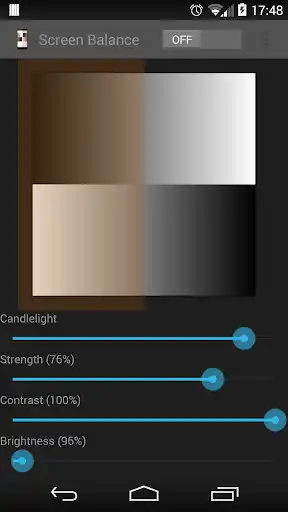
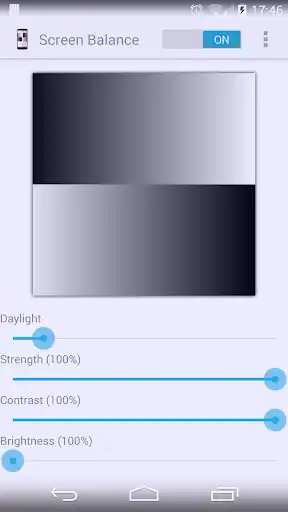
Exercise complete control over your screens white balance, tint and brightness level - Finally!
Root NOT needed.
UPDATES
Auto-sleeps when incompatible windows encountered (e.g. Package Installers)
Toggle on/off from notification tray - in Android Jellybean (4.1) and over.
Save color profiles.
Due to popular demand, we have added RGB adjuster to allow you to create your own color filters.
Due to demand, we have added option of adjusting the screen contrast - this vastly improves the readability of your screen at night. It also allows correction of harsh or over vibrant screen colors.
FEATURES
Reduce brightness levels to below what Android normally allows - prevents night time strain, especially on AMOLED screens.
Reduce Black Crush/Clipping on many devices including the recent Pixel 3
Apply color tint to the screen - this is used to apply a color filter, e.g. a red tint such that you can use it in really dark environments, e.g. star gazing or simply reading at night.
Safety feature to auto reset brightness if set too low by accident.
Dark and Light themes - allows you to accurately test white balance and prevent eye strain at night and to test your color balance.
Independently adjust brightness and tint as per your requirements.
Due to popular demand, we have ensured that the App stops from appearing on the Android task list.
Apply settings automatically on device boot.
Save color profiles and settings.
Inherently low resource use with no noticeable impact on performance and battery.
Enjoy with UptoPlay the online game Screen Balance.
ADDITIONAL INFORMATION
Developer: QuickDoc
Genre: Tools
App version: 8.5
App size: 134k
Comments:
Available controls do nothing to help solve screen issues in my e-ink device, and the unavailability of Pro version features makes it impossible to know whether upgrading would help. i understand the need to limit the free version, but I would suggest to put a time limit on full features, rather than crippling the app so that it seems useless, when it might not be. So I guess I will never know if the full version would help my use case without seeing it myself (e-ink screen).
The thing I really need is to increase saturation, or decrease contrast. There is a milky filter look to my phone screen. I cannot find any apps that allow me to do this. Unless I root my phone. Then I won't be able to use PayPal or many other important sites. I figured by paying for the advanced features on this app I could maybe do it. Nope. Money wasted. I should have researched it I guess. PLEASE ADD THIS FEATURE! I really need to be able to increase saturation or decrease contrast.
Downloaded this app soon after getting my pixel 2 xl to fix the black crush issues and have appreciated it's use, enough to get the pro version. I recently started having problems with the app's features not working, and contacted the dev via email. He responded very swiftly and made an update with the fix soon after. Very useful app and helpful developer!
I can't figure all the bad reviews... I'm 65 and it might just be me, but *all* amoled screens look green to me, and I am not colorblind. This app takes care of that, I put just a hint of twilight or shade on and problem solved. I *would* love to be able to bump up saturation and contrast but I'm very grateful. Makes My Screens Great Again! (Android 8 through 10)
Needed an app for screen ghosting. Blue light filters worked but,they gave me seizures. I needed to adjust all the colors. So far out of all the color adjustment apps,this has been the best! Fine tuned much more. Dont regret having to get the pro version at all. And no screen ghosting so far.'
Page navigation: