


Fake GPS Location: Joystick and Routes

Fake GPS Location: Joystick and Routes
The official app & game
Distributed by UptoPlay
SCREENSHOTS
DESCRIPTION
Use UptoPlay to play online the game Fake GPS Location: Joystick and Routes.
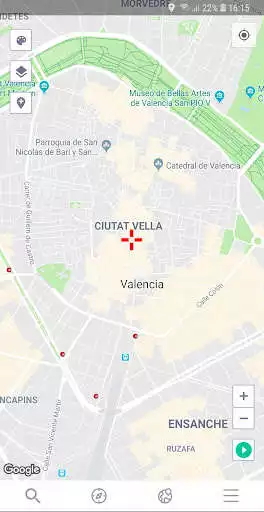
Fake gps location helps you mocking the geo restriction of your dating apps, as easy as changing your location and you will find new friends on any location-based social network.
Installation:
For previous versions Lollipop (5.1) needs to move system app (required root access only for that action can be removed later).
Features:
- Change GPS location to the selected location
- Allows users to change location immediately with Joystick
- Enter latitude/longitude directly from the joystick
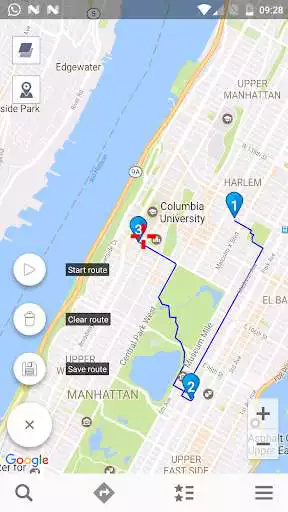
- Set points on the map to create route and to walk automatically
- For ROOTED devices you can mock locations without enabling "Allow mock locations" option. Please move app to /system/priv-app
Developer Mode:
Developer mode being activated
1. Settings - About phone - Software - Build number (7 clicks).
2. Settings - Developer Options - or mock locations Allow mock locations apps selection
Enjoy with UptoPlay the online game Fake GPS Location: Joystick and Routes.
ADDITIONAL INFORMATION
Developer: dgsmartstudio
Genre: Tools
App version: 6.0.0
App size: 6.3M
Recent changes: - bug fixes
Comments:
I'm delighted to see that this app does indeed trick Snapchats location feature. My next test is going to be using the software that I use to clock in at work. It's so annoying having to walk to the back of the building when my desk is at the front. If this works, I'm definitely buying the paid version!
I would have given 5 stars and purchased the Premium version except that the App stops telling my other Apps the simulated GPS coordinates after a day of running and goes back to the real coordinates. I have to go back into the running Fake GPS App and re-select my Favorite location and restart the Joystick mode to get it going again.
Takes you where you want to go but it gives you an error in Pokemon Go. Please fix this. I work 3 nights a week and babysit 5 days a week and hardly have time to go out to play Pokemon Go.
Downloaded for Pokemon GO, followed directions (developer mode, switched mock location), got the joystick to pop up and could make my character move around but could not spin PokeStops or gyms and no Pokemon were popping up. Even after stopping the app a big blue joystick is in the middle of my screen. Not useful for what I need it for.
Before I totally love this app, I can go anywhere and play pokemon, I would like to give 10 stars if I can, but now I'm a little feel down because when I upgrade the phone, this app no longer work well, it keep jump back to the real location, please fix it."
Page navigation: