


Speed dial for Phone/Mail/SMS

Speed dial for Phone/Mail/SMS
The official app & game
Distributed by UptoPlay
SCREENSHOTS
DESCRIPTION
Use UptoPlay to play online the game Speed dial for Phone/Mail/SMS.
This is an app to create a shortcut to dial with one touch from contacts.
* This is not a widget.
* In Android 8, square icons can not be created because the shapes of the icons are unified.
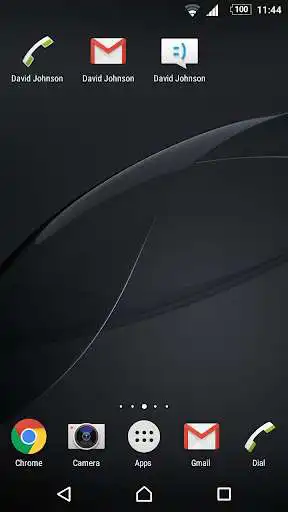
Home screen after you have created a shortcut to it will be able to start the purpose of the app from the shortcut at the touch of a button directly.
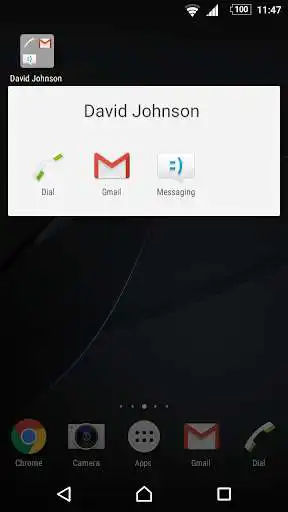
Shortcut that you created that you can organize collectively to folder.
How to use
1. Launch the speed dial.
2. Select a person because contact is displayed.
3. Selected if the phone number or mail address is registered more.
4. Select the type of shortcut to be created.
5. Edit shortcut title, if necessary.
6. Tap the OK button to select the app to launch.
7. Icon with a shortcut title the app icon to launch will be created in the home screen.
Caution
* Will not be reflected in the shortcut if you edit the phone number or e-mail address of the contacts. Please remake after you delete a shortcut. It does not remove the apps and contacts delete the shortcut.
* Shortcut that you created when you uninstall the app will not be deleted. Shortcut that you created, please delete manually.
Enjoy with UptoPlay the online game Speed dial for Phone/Mail/SMS.
ADDITIONAL INFORMATION
Developer: skelabo
Genre: Communication
App version: 2.8.10
App size: 3.0M
Recent changes: Update library
Comments:
This app works better than the default widget (which only takes the first number in a contact in latest android). It creates shortcuts of contact's number selection with associated app to use with it. Also allows you to assign your own label to distinguish similar contacts. I will see if they disappear.
Love app but needs to work with Google voice.
Keeps using first name chosen Regardless of who I select in my contacts. \n' +
Hmmmmmm
Works great when the icons are available. The icons keep disappearing after I set them up. Seems like they disappear after a day or two. Than I reset them. Than they disappear again. I can't figure it out
Works as described. Wish I found it sooner.'
Page navigation: