


Royal Edge Zooper Weathers
Royal Edge Zooper Weathers
The official app & game
Distributed by UptoPlay
SCREENSHOTS
DESCRIPTION
Play this online game named Royal Edge Zooper Weathers .
Royal Edge Zooper Weathers is obasu,royal,edge,zoopers,personalization,zooper,weathers, content rating is Everyone (PEGI-3). This app is rated 5 by 1 users who are using this app. To know more about the company/developer, visit Obasu Icons website who developed it. com.obasu.royal.edge.zoopers.apk apps can be downloaded and installed on Android 4.1.x and higher Android devices. The Latest Version of 1.0 Available for download. Download the app using your favorite browser and click Install to install the application. Please note that we provide both basic and pure APK files and faster play online speeds than APK Mirror. This app APK has been downloaded 32+ times on store. You can also play online com.obasu.royal.edge.zoopers APK and run it with the popular Android Emulators.
if you get tired of the same old style for weather icons.Then Try This Amazing art of work and Royal colors and customize your devices, having Royal Icon pack are must. Royal Edge  weather provides you weathers pack to be used with Zooper Pro. With Royal Edge  sets, you can now match up your screens your icon pack for a Awesome and shine look.

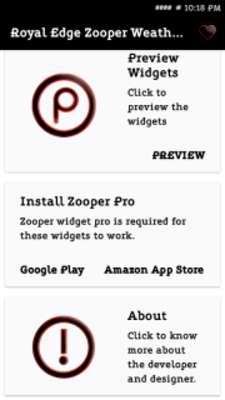
* This is not a stand alone app, you MUST have Zooper Widget Pro installed. If you don't the sets won't work.

https://play.google.com/store/apps/details?id=org.zooper.zwpro&hl=en

* This is a set of Royal Colors, yet thoughtfully crafted Zooper widgets for Obasu Icons Pack.Which you can find here.

https://play.google.com/store/apps/dev?id=7625208589944234859

How to use:

*Install Zooper Widget Pro

*Download and install Royal Edge  Zooper Weathers for Zooper Pro

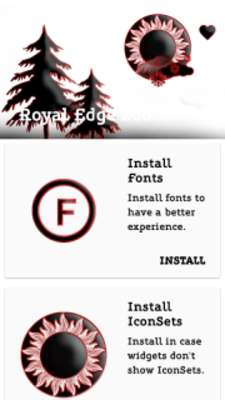
*Open the app and click on install weather icons (This is most important) - these will installed to your icon set folder in zooper directory on your device

*On home screen, add a zooper widget. ( long press on home screen if you are using a launcher or app drawer if you're on stock ROM).

*Choose the widget of your choice (Size)."Please note", this app will show in your list of installed widget apps, but it will be empty as there are no widgets.The widgets will show up these are only Preview Pictures these are not widgets. The weather icons have already been installed. So do NOT select this app from the list, choose another widget or Empty widgets, and select the weather icon from bitmap icon set in layout.

*If the widget already has a weather set included, go to layout, scroll to bitmap icon set, select that, and a list will appear of installed weather sets. Pick the one you want. You can than scale it to the size you want or move it around.

*If the widget does not have a weather set included, go to layout, add item (up top + sign) then choose bitmap icon set.

If you have any issues please email me at the address provided before leaving a bad review. I will be sure to help you.

Sets included the following Colors  pack:

* Royal Edge  Black

* Royal Edge  Blue

* Royal Edge  Green

* Royal Edge  Orange

* Royal Edge  Purple

* Royal Edge  Red

* Royal Edge  TurQuoise

* Royal Edge White

* Royal Edge  Yellow

If you want These Weathers for KWGT KLWP then here is the link....

https://play.google.com/store/apps/details?id=com.obasu.royal.kwgt

https://play.google.com/store/apps/details?id=com.obasu.linoleum.kwgt

https://play.google.com/store/apps/details?id=com.obasu.painted.kwgt

https://play.google.com/store/apps/details?id=com.obasu.royal.edge.kwgt
Updates:
- Royal Edge Weathers Comes with 9 Royal Colors for zooper ....
Royal Edge Zooper Weathers Have these Colors ...
* Royal Edge Black
* Royal Edge Blue
* Royal Edge Green
* Royal Edge Orange
* Royal Edge Purple
* Royal Edge Red
* Royal Edge TurQuoise
* Royal Edge White
* Royal Edge Yellow
Royal Edge have its own style....just try them once I am sure you are going to fall in love with their Colors and designs.....
Royal Edge Zooper Weathers from UptoPlay.net
Page navigation: