


Quick Notes Free

Quick Notes Free
The official app & game
Distributed by UptoPlay
SCREENSHOTS
DESCRIPTION
Use UptoPlay to play online the game Quick Notes Free.
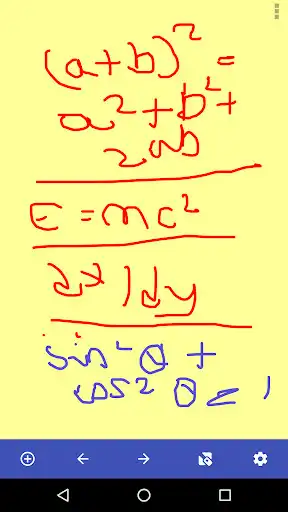
Quick and Easy Notes App to write quick notes on the fly
Hand write notes, draw notes, type notes
Save and Open notes to SD Card for later recall
No background running battery draining services
Quick Toolbar for easy note taking
Shake to Erase your note
- Draw or type
- No background draining services
- Clean toolbar
- Open notes from list of thumbnails
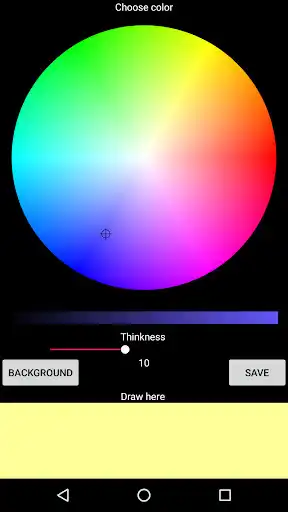
- Different background colors
- Different drawing colors / sizes
- Save to SD Card
- Send via Gmail/Mail/Text and any other supported apps
- Share Feature
- BG / Pencil colors
- Export
- FREE!
Enjoy with UptoPlay the online game Quick Notes Free.
ADDITIONAL INFORMATION
Developer: Jon Blackwell
Genre: Productivity
App version: Varies with device
App size: Varies with device
Recent changes: Updated menu to look nicer and work with new versions of Android.
Comments:
I couldn't figure out a way to delete the last thing that I had done which is important to me because I make a lot of mistakes. Plus I was looking for an app more just for notes than pictures so it was a very good simple straightforward app but not what I'm looking for.
Has potential to be really useful... BUT note saving is very unpredictable. No guarantee that my note will still be there or have the latest updates next time I want it. Had to quit using it.
I am using this app for a while now and I like it because it is convenient to write fast notes with your finger, instead of typing. But the most problematic feature is that 1) it has a great difficulty when you want to "drag and move" the typed text around the page. I managed to do that after too much effort. When you released the text, before writing any text, you must use both fingers together to be able to move the text tool again around the page. The text can not be moved with one finger alone once you have released it. Please fix that. 2) Add a Colours list for the typed text Not only black. And colours for the "pencil" should be found on the MENU, Not in the Settings. 3) The eraser tool should have sizes to choose from as well. 4) And last but not least, we want more "background colours". Thank you. Fix these 4 features and I will give all 5 stars to my rating.
this app is very good for save the our all notes.and helpful the keep notes.i love it
Wonderful concept but I couldn't save any of my notes!"
Page navigation: