


EveryDay Watch Face
EveryDay Watch Face
The official app & game
Distributed by UptoPlay
SCREENSHOTS
DESCRIPTION
Use UptoPlay to play online the game EveryDay Watch Face.
EveryDay Watch Face is fully compatible with Wear OS 2 and Wear OS 3 and is compatible with all Wear OS watches
Wear OS 2 and Wear OS 3 integrated features
external complication support
fully standalone
iPhone compatible
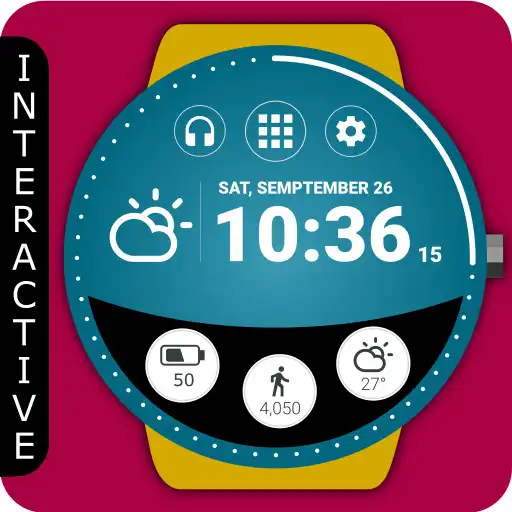
EveryDay Watch Face is built for use every day, it simplified many use cases such as launching programs, setting brightness, or being informed about battery usage.
EveryDay Watch Face is completely free and has basic features and options. You can also purchase the PREMIUM version with many useful features and options.
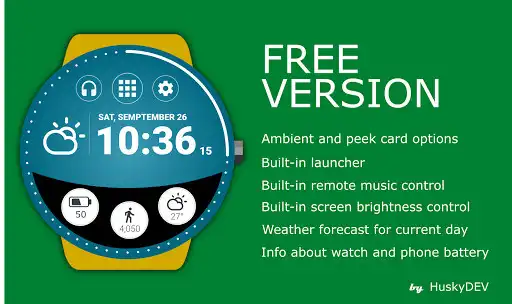
The FREE version includes:
Own launcher
Ability to change screen brightness from the launcher
Weather forecast for the current day
Detailed information about the watch battery and the phone battery
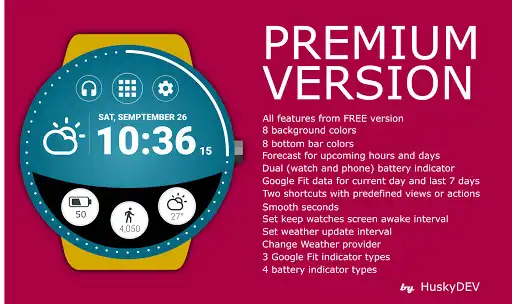
PREMIUM version includes:
All features from the FREE version
8 background colors
8 bottom bar colors
Ability to use one from more than 15 watch face translations
Use Night Mode for power-saving features
Weather forecast for upcoming hours and days
Ability to change battery indicator type. Watches only or dual indicator (phone and watch)
Set two shortcuts with predefined views or actions
Set four Quick actions with predefined views or actions or any application on your watches
Ability to change Keep watches screen awake interval
Ability to change the Weather update interval
You can change any settings or adjust all features(the PREMIUM version) or all free features in the Watch Face configuration in the watch. You can also install a companion application that allows you to conveniently change any settings or adjust all features.
The HuskyDEV EveryDay Watch Face works great with squared and round watches.
Enjoy with UptoPlay the online game EveryDay Watch Face.
ADDITIONAL INFORMATION
Developer: HuskyDev
Recent changes: New:
- Ability to change the position of the Notification indicator to LEFT, BOTTOM, RIGHT (PREMIUM)
Fixed:
- Weather: The Weather update did not update on the selected update weather interval
Page navigation: