


P8 Player
P8 Player
The official app & game
Distributed by UptoPlay
SCREENSHOTS
DESCRIPTION
Use UptoPlay to play online the game P8 Player.
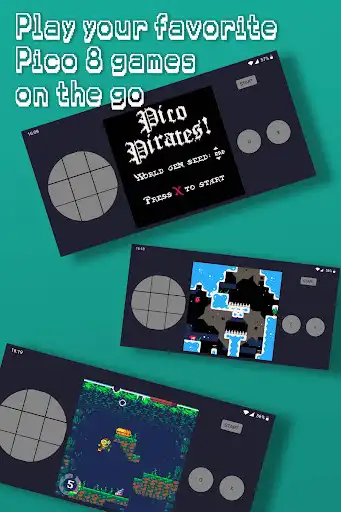
P8 Player is a unique virtual console to play your favorite Pico 8 games on the go.
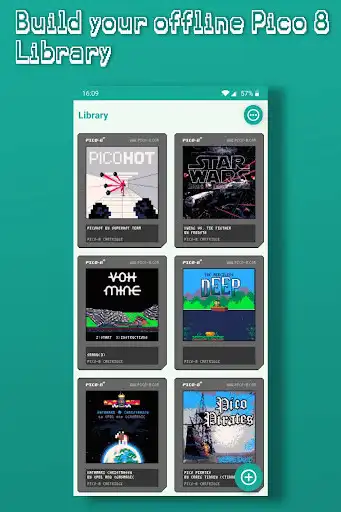
Thousands of free games available offline for you to grab
- Build and maintain your Pico 8 Library
- Play your added carts offline
- Easily add a cart by sharing it to P8 Player
Enjoy with UptoPlay the online game P8 Player.
ADDITIONAL INFORMATION
Developer: YL Studios
Genre: Arcade
App version: 1.2.0
App size: 22M
Recent changes: Upgraded Pico8 Engine to support Pico8 v0.2.1b
Comments:
A bit tricky to get the carts, but I think that's more the website than anything. Games run good except for sound, which is choppy. I also wish there were options for the controller layout, I'd like to play vertically, and maybe change the background for my button areas. Could be an excellent app, but with these faults and missing features it's just ok enough.
Carts load well now, thank you for updating. Viewing the thumbnails to my offline game library is really nice! Something I wish the main Pico 8 app had, actually. The audio is really horrible, however. Very crackly! Is there a way to fix this, a different browser perhaps? Looking forward to more updates, I think this app has the legs to be a fantastic Pico 8 experience on Android.
It's a GOOD app, but it can be GREAT. It runs most games perfectly with the only exception being sound. The only big issue for me is the button sizes and the dpad. How should you fix it? You should make the option for us to ethier have a four way dpad (as in a + dpad), or a 8 way dpad (like the one you have now). And you should be able to set each button's size and placing, as in the user should have the option to make the buttons big enough for their screen, as well as where they are placed.
Plays nicely on my pixel, adding games is as easy as you could ask for. Controls aren't perfected yet, but it's a work in progress. I'd *very* much like to be able to load this onto a Retroid Pocket or similar - which would mean controller support, and settings to open at the retro aspect ratio, etc.
Fantastic Pico Player! Hoping to see this get continued support after the current update. Would love to be able to use my razer kishi controller with this. Also if you do happen to add controller support an option to change the on screen controls opacity would be very welcomed. Thank you for the time you spend on updating this app and making it completely free!'
Page navigation: