


Traffic Info and Traffic Alert
Traffic Info and Traffic Alert
The official app & game
Distributed by UptoPlay
SCREENSHOTS
DESCRIPTION
Use UptoPlay to play online the game Traffic Info and Traffic Alert.
Avoid traffic jams:
- Use TomTom traffic information (News Button)
- Switch between Google Maps and Waze for Navigation
- Plug-Ins: Integrate external maps and information sources
- Save different destination for navigation
- Traffic map based on google real-time traffic
- Auto-update traffic map every 3 minutes
- Store multiple routes and regions
- Start google map navigation out of traffic map
- Initiate navigation around traffic jam
- Track your position
- Find routes or regions by geocoding
- Best suited for commuters
Quick Start Guide
==============
Just press "Track"
Manual
======
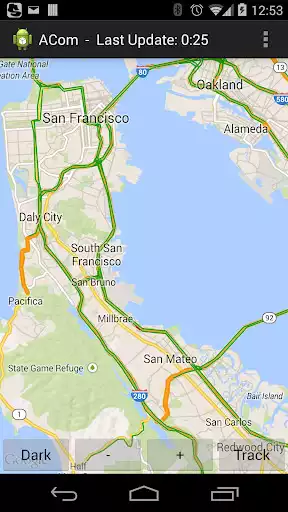
This app called ACom presents current traffic information on a map. After starting this app, the map is automatically drawn. Green lines indicate free traffic flow, whereas red lines indicate traffic jam. However, you must be online to receive current information.
The app does not require location information at any time. However, if you want to be tracked, you must enable GPS or WiFi-location in Android. Pressing the Track-button will initiate the tracking process. After pressing the Track-button, you can press Bird to activate the Birdview-Mode. (Using Birdview with GPS the map is always shown according to your driving direction. Using Birdview with WiFi-based location tracking the map is always shown centered to your current position). Pressing the HideMe-button will stop the tracking.
You can select WiFi-based location (low energy) or GPS-based location (high energy consumption) via your Android settings menu. Both types of location are supported by ACom. However, we do not recommend using GPS-based tracking without plugged power-supply due to high energy consumption.
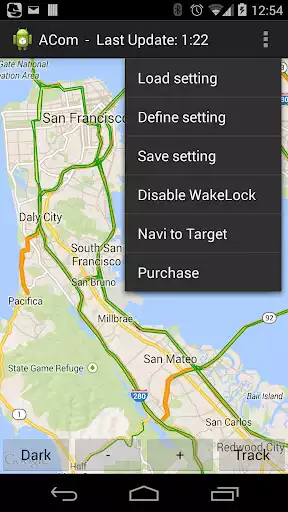
You can define your region of interest (ROI) by selecting the options menu Define. A ROI can be a region within to locations or just a single location (city). However, you must be online to define ROIs.
You can store any current presented map just by selecting the options menu Save. The title of this storage is automatically generated but can be modified by a long-click on the issue.
You can load any stored map just by selecting the options menu Load and selecting the desired title.
Smartphones may turn-off automatically after a time (sleep-mode). To avoid that, you can disable the sleep-mode by selecting Sleep-Mode off in the options-menu.
If you have loaded a stored map you can select Navi to Target in order to start the google maps navigation app. The navigation target is automatically adopted by the target (city) of your yet defined map.
On the top left side, you can open the navigation drawer. The Master Map is the main map, which contains all the information. However, you can play online third-party Plug-Ins or even a collection of Plug-Ins, which utilize this information and present additional information.
You are free to develop and maintain your own Plug-In. A manual and demos for creating Plug-Ins are available in the github repository grabowCommuter/PlugIn-Developer.
Enjoy with UptoPlay the online game Traffic Info and Traffic Alert.
ADDITIONAL INFORMATION
Developer: Grabow Commuter
Recent changes: Bug fixing for waze navigation.
Page navigation: