


SmartDrive Watch Face
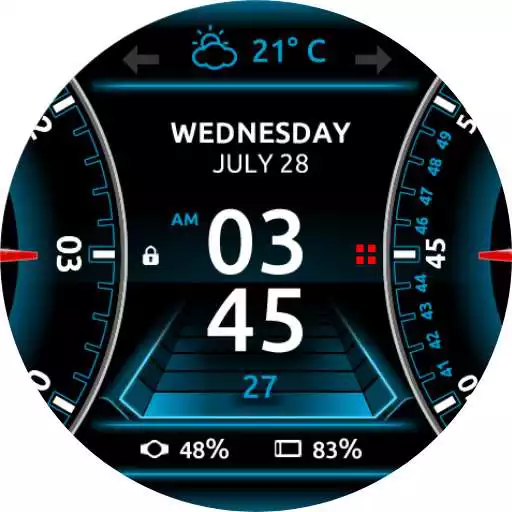
SmartDrive Watch Face
The official app & game
Distributed by UptoPlay
SCREENSHOTS
DESCRIPTION
Use UptoPlay to play online the game SmartDrive Watch Face.
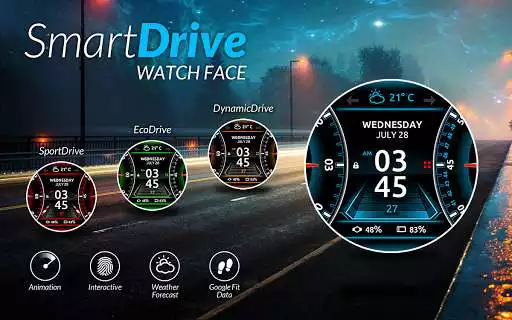
Animated and interactive Watch Face for Android Wear watches
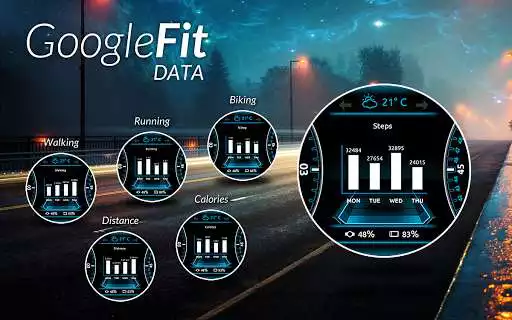
Google FIT data:
Daily steps with graph (click in a center to switch between graphs)
Total data (Today, Week, Month)
Active running time
Active walking time
Active biking time
Burned calories
4 color themes
Other data:
Weather forecast with graph (3 weather providers)
Stopwatch
Music player
Watch and phone battery
Date with date format settings
24 hour format
Screen time
Interactive menu with app shortcuts
Automatic or manual weather location
Current location
Shortcuts for Hangouts, Google Keep, Google Maps, Alarm clock, Stopwatch, Music, Translate, Flashlight, Timer, Google Fit, Agenda, Find my phone, Google Messages, Shazam
Full ambient mode
Small peek card option
Translucent peek card
Time zone
Configuration in companion app
Google FIT sync time
Automatic or custom added weather location
Smooth seconds or tick seconds
Screen time settings
Weather update time
Simple and full ambient mode
Peek card configuration (transparent, small or big)
Notifications
To install:
1. After install run 'Resync app' on Android Wear App.
2. Long press your android wear watch and choose SmartDrive Watch Face as your watch face
Enjoy with UptoPlay the online game SmartDrive Watch Face.
ADDITIONAL INFORMATION
Developer: RichFace
Genre: Personalization
App version: Varies with device
App size: Varies with device
Recent changes: - Fixed minor weather bugs
- Improved performance
Comments:
Can't seem to find where the menu items are. have premium version, but can't change colors or see my steps, etc. Weather is the only thing that shows up top and arrows are grayed out in either side. Watch face looks cool, but would like to use the features i paid for.
I like it except that phone battery percentage on watch doesn't match the the actual percentage on phone (Ex: watch shows 90% although phone shows 95%). It looks like sync issue. Plesse support and advise
Eh? Difficult getting premium working. Delete app from phone and reload. Some stuff like weather not working. Not a big deal since that and health are screens on the base shifted right.
It's awful it never loaded or worked on my Android wear phone, I just want a refund of the money I paid. I emailed them and sent a photo of the purchase I made. They dont respond to emails just take your money for an app that doesnt even work...shameful.
I have the ZTE quartz watch smartwatch. I have also another one of your watch faces that works perfectly with my ZTE. this particular face will not work?'
Page navigation: