


SL Screen Off plugin
SL Screen Off plugin
The official app & game
Distributed by UptoPlay
SCREENSHOTS
DESCRIPTION
Use UptoPlay to play online the game SL Screen Off plugin.
This app works only with Smart Launcher
This app uses the Device Administrator permission, in order to use a restricted API that allows to turn off your device screen
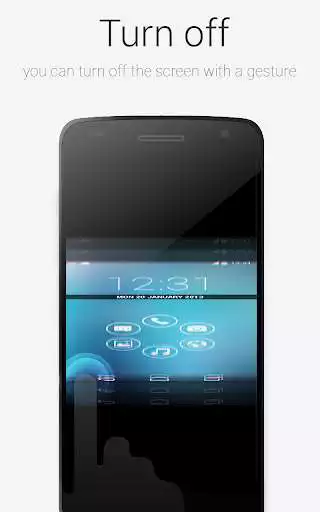
This plugin will enable Smart Launcher to use some extra features. Actually you need this plugin to turn off the screen with a double tap using Smart Launcher. The plugin is very lightweight (only few kb) and doesn't influence battery life and memory usage.
PLEASE NOTE: SL extra requires some advanced permission (just to turn off the screen indeed). So after enabling it, you won't be able to uninstall this app unless you disable it in the SL's preferences. Then you will be able to uninstall this app like every other app. Here is a video tutorial:
https://www.youtube.com/watch?v=lV7cjqdWXro
If you think this procedure is too hard for you, just don't install this app. You will still be able to use the most part of the Smart Launcher features.
Enjoy with UptoPlay the online game SL Screen Off plugin.
ADDITIONAL INFORMATION
Developer: Smart Launcher Team
Genre: Libraries & Demo
App version: 1.4
App size: 16k
Recent changes: - Name changed from "SL Extra" to "SL Screen Off plugin"
- Included a new disclousure as required by the recent changes to the Google Play Store policies
Comments:
Works great, but for one problem: if i lock my screen using the double tap feature, my phone says I cannot use my fingerprint to unlock the phone. It needs to be added to the Trust agents settings to properly lock my phone. LG V30+ Thin Q.
Works if you know how to use it and for what it is needed. Both ways, the double tap and the Smart Display Off function are working. But sometimes the displayed time freezes in the notification bar when the plugin is running. Besides, for those who think the plugin is not locking the display anymore: Go to SL Settings -> "Extra Functions" -> "Screen lock method" and choose "System Admin privileges". Maybe it will ask you, if you want to activate the plugin as an administrator.
Always show popup Action required to enable accessibility service. But it was on. After reboot get normal. After few days popup action required showing again. I buy SL launcher Because this feature. Please fix it.
WARNING! STAY AWAY FROM THIS DEVELOPER!!! My Smart Launcher app keeps opening up a page to Google Play asking me to install this plugin. There are no clear instructions from the developer on how to stop and/or disable this from happening. Absolutely disgusting behaviour from a formerly excellent developer. I`ve asked Google to investigate these clowns..
Kept locking my phone immediately, very, very bad! Thankfully I found other comments about how to uninstall - this is a bit of a disgrace.'
Page navigation: