


QR code

QR code
The official app & game
Distributed by UptoPlay
SCREENSHOTS
DESCRIPTION
Use UptoPlay to play online the game QR code.
QR code is a modern QR code scanner and barcode scanner with all the features you need.
Scan any QR code or barcode to get additional information including results from popular online - 100 % FREE!
QR code, barcode scanner app focuses on the core functionality to scan and read the most common types of QR codes and barcodes with super fast speed and delightful user experience, designed for all Android devices.
QR code , barcode scanner app is extremely easy to use. It simply uses the Android phone's camera to scan and read QR code and barcode in a second then allows you to do appropriate actions effectively.
QR code, barcode scanner android app helps you to scan and read all types of QR code and barcodes: Contact Info, Phone, Email, Website, Product, Text, SMS, Wifi, Map Location, Calendar Event and more
FEATURES:
Scan and read all types of QR code and Barcode
Super-fast and super-lightweight
Appropriate actions on each QR code or Barcode: search on Google / Bing / Yahoo / DuckDuckGo / Ecosia, open webpage, add a contact, send an email, call a phone number, connect to wifi networks, add an event to google calendar...
History with search and filtering
Advanced setting options to ensure the scanner is optimized for your own device
Generate QR codes
Flashlight, zoom the camera
Scan gallery images, support sharing from any other app
Generate QR code from contents in any other app
HOW TO USE:
- To scan QR codes and barcodes, simply open the QR code scanner and barcode scanner app, point the camera in front of the QR code or barcode, then the app will automatically read and show you the content of the code, eventually allowing you to do several actions to finish your job easily.
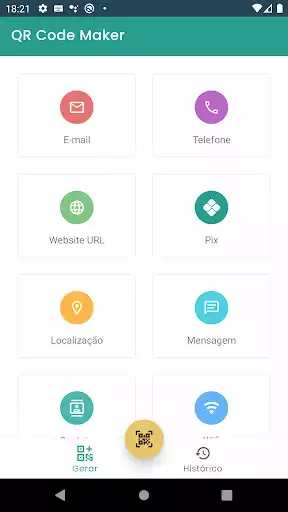
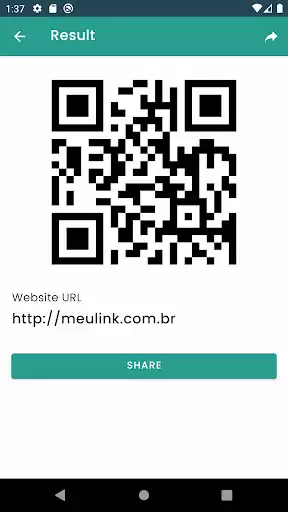
- To generate QR codes, simply open the QR code scanner and barcode scanner app and select "Generate" at the bottom menu. From there you can choose many types of QR codes that you can generate such as contents from clipboards, website URL, text, contact information, phone number, SMS, calendar event, wifi... The QR code is created and the app allows you to save it to the device's gallery, or share the code image anywhere.
- To scan any image from your device's gallery or even from content in any other apps, simply use the "Share" functionality in the Android menu. Select the image in your gallery, click the "Share" option then select "Scan Image" with the QR code reader and barcode scanner app, then the app will open and scan that image automatically.
- History tab allows you to view all the QR codes and barcodes that have been scanned from the QR code scanner and barcode scanner app. The history is organized clearly, sorted by date-time, allows searching by keywords and filtering, helps you easily manage and find your information as efficiently as possible.
Enjoy with UptoPlay the online game QR code.
ADDITIONAL INFORMATION
Developer: phoenix-dev
Genre: Tools
App version: 1.0
App size: 6.4M
Comments:
'Very good'Page navigation: