


Image Warp - Grid Modifier
Image Warp
The official app & game
Distributed by UptoPlay
SCREENSHOTS
DESCRIPTION
Use UptoPlay to play online the game Image Warp - Grid Modifier.
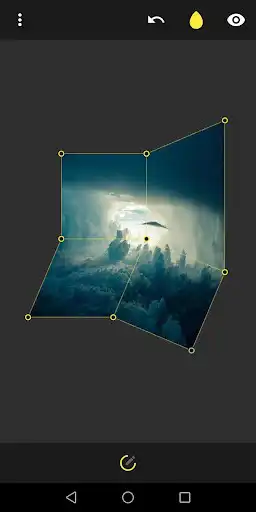
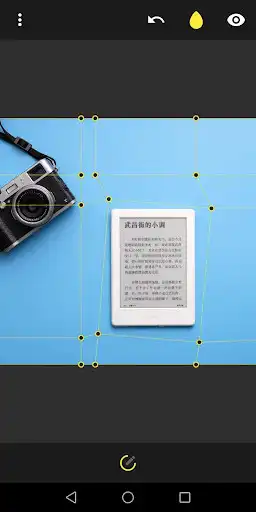
A small photo editing tool to to skew, scale, distort, rotate and change the perspective of individual parts or whole images.
Grid points can be set manually to fit the needs of your project.
Features:
Skew (shear), scale, rotate, perspective warp
Manually adjustable grid
Load pictures from within the app or directly from the gallery
Reads EXIF image rotation
Saving full (PNG) & cropped (JPG) up to 16MP (4096x4096)
Auto cropping largest inscribed rectangle
Resuming last state on startup
Pinch-to-zoom
Simple and clean UI
Phone & tablet support
Portrait & landscape support
Tips & Tricks:
Double-tap to reset picture zoom
Long-press undo button to reset warp / grid
Forum:
https://forum.xda-developers.com/android/apps-games/app-image-warp-grid-modifier-0-0-2-t3816878
Enjoy with UptoPlay the online game Image Warp - Grid Modifier.
ADDITIONAL INFORMATION
Developer: Petales
Genre: Photography
App version: 4.49.35
App size: 3.1M
Recent changes: ● New UI & icon
● Reads EXIF image rotation
● Resuming last state on startup
● Load image through gallery share
● Edges are editable
● Zoom bubble for setting grid points
● Saving full (PNG) & cropped (JPG) up to 16MP (4096x4096)
● Auto cropping largest inscribed rectangle
● Share & view in gallery after saving
● Bug fixes & more...
Comments:
Could use some improvement with the controls, but I didn't have any issues with ads or bugs like other reviews stated. I just used it to adjust the skew/angle of an image I took of notes in class and it worked perfectly. I'd give it a 7.5/10. Would be cool to see other options in the future, but for my use it got the job done.
Wrap effect works very fine. The app would be much more useful if it has crop feature and the option for view with fixed grid too. Furthermore, the app would be excellent if the user would be asked to save changed image in the original folder (album). Also, it is necessary to save original resolution of the photo.
Only saves 1 megapixel images. No setting, nothing, except the possibility to add grid points and warp with 1 layer. Looks like an abandoned proyect that would have been nice but now it's not
`Wow, that's buggy. The image keeps warping upwards on the screen as soon as I let it be. Then it snaps back to original size as soon as I touch the screen. Even the "do you want to exit" window does this. Sorry, that's an immediate uninstall.`,This seems like a good program for what it does. It would be better if it had cut and crop function. I'm looking for an image editor with basic cut and move functionality on Android, but it's starting to seem pretty futile."
Page navigation: