


Illuminated clock Smartwatch 2
Illuminated clock Smartwatch 2
The official app & game
Distributed by UptoPlay
SCREENSHOTS
DESCRIPTION
Play this online game named Illuminated clock Smartwatch 2 .
Illuminated clock Smartwatch 2 is illuminated,clock,lifestyle, content rating is Everyone (PEGI-3). This app is rated 4.5 by 2 users who are using this app. To know more about the company/developer, visit nwg website who developed it. com.nwg.sw2.illuminated.clock.apk apps can be downloaded and installed on Android 4.0.x and higher Android devices. The Latest Version of 1.0 Available for download. Download the app using your favorite browser and click Install to install the application. Please note that we provide both basic and pure APK files and faster play online speeds than APK Mirror. This app APK has been downloaded 657+ times on store. You can also play online com.nwg.sw2.illuminated.clock APK and run it with the popular Android Emulators.
*** IMPORTANT! FIRMWARE BUG FIXED! *** If you use the Smartwatch 2 app, and the watch firmware of Dec 17th, 2014, that broke down custom watch faces, please update to the most recent version (1.6.23 14 / Jan 14th, 2015). According to users' feedback it may be necessary to uninstall the watch face / widget, and install it again. ***

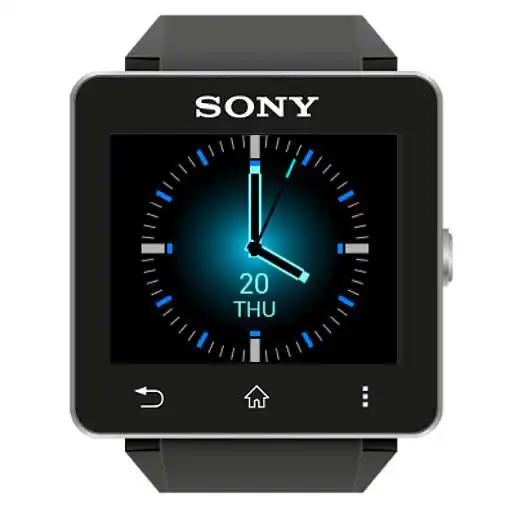
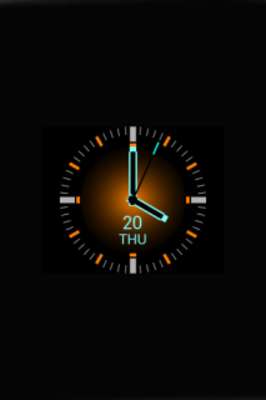
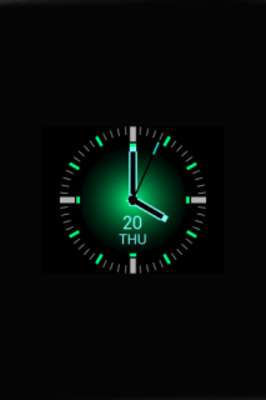
Analog watch face with colorful illumination. Simple and well readable when screen dimmed, turned on - looks great in the dark. Choose blue, orange or green layout in the application settings.

The application supports low power mode, however may increase power consumption slightly in comparison to simple built-in watch faces.

Ideas, suggestions and error reports you may leave at http://dev.nwg.pl/illuminated-clock

Installation:

- Open the SmartWatch 2 app,

- edit watch faces,

- create a new watchface,

- click 'clocks',

- choose the watchface you've just installed,

- enjoy :)

How to change colors:

- Open the SmartWatch 2 app,

- find Illuminated clock,

- choose the color in preferences,

- get back, switch to another watch face, and back to the Illuminated clock.

The latter step is necessary at the first use after installation only. Next time pressing power button twice should be enough.

Many thanks to Naheel Azawy for his excellent tutorial @ XDA forum.

watchface watch face clock

Smart extension for SmartWatch 2

Smart Connect extension for SmartWatch 2
Updates:
Illuminated clock Smartwatch 2 from UptoPlay.net
Page navigation: