


G-Ignition Mobile

G-Ignition Mobile
The official app & game
Distributed by UptoPlay
SCREENSHOTS
DESCRIPTION
Play this online game named G-Ignition Mobile.
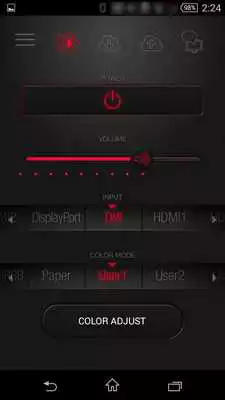
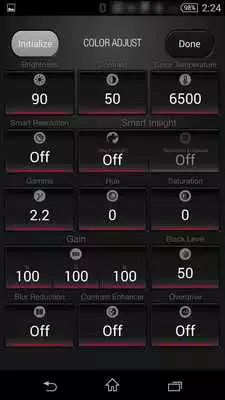
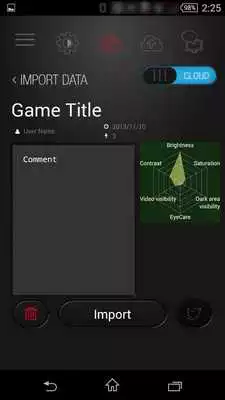
G-Ignition Mobile is EIZO's app for a more convenient and enjoyable gaming experience on the EIZO FORIS FS2735 monitor. With this app, you can use your smartphone like a remote control to adjust your FORIS FS2735 to your preferred settings.What's more, pro gamers who use the FORIS FS2735 have made their monitor settings available on EIZO's own cloud service, G-Ignition Drive. With G-Ignition Mobile, you can import these professional settings to your own screen. You can also use G-Ignition Mobile to upload your own FORIS FS2735 settings to the cloud and share with your friends and on social media.
[Supported Monitor]
EIZO FORIS FS2735
[Compatible Devices]
BLE (Bluetooth low Energy) compatible Android devices
(Huawei Ascend Mate7 are not compatible.)
(Please update Android to 6.0.1 if Android 6.0.0 is installed to your device.)
[Setup Guide]
1. From the FORIS FS2735 "Bluetooth" settings, pair up your FORIS FS2735 with your smartphone.
2. Go to "Settings" on the G-Ignition Mobile, and choose your FORIS FS2735 from "Target Monitor" settings.
3. Now you should be able to control FORIS FS2735 with your smartphone.
[G-Ignition Mobile Features]
- Remote Control Features (Power, Audio, Input Signal and Color Mode Control)
- Color Adjustment (Brightness, Gamma, Hue and other options)
- Compatible with EIZO's own cloud service, G-Ignition Drive (Upload and Import monitor settings)
*G-Ignition Drive is free of charge. However, the service requires an internet connection and data costs.
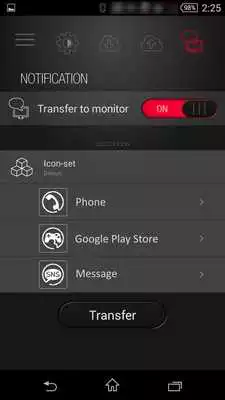
- Smartphone Notification Feature (A notification is displayed on your FORIS FS2735 screen whenever your smartphone receives a call or an e-mail.)
- Widget for Remote Control (G-Ignition Mobile ver.1.3 or later)
EIZO and FORIS are registered trademarks of EIZO Corporation.
Updates:
Version 1.3- Added support for Android 7.0 (Nougat)
- Added widget feature
G-Ignition Mobile from UptoPlay.net
Page navigation: