


D-ViewCam Mobile app
D-ViewCam Mobile app
The official app & game
Distributed by UptoPlay
SCREENSHOTS
DESCRIPTION
Use UptoPlay to play online the game D-ViewCam Mobile app.
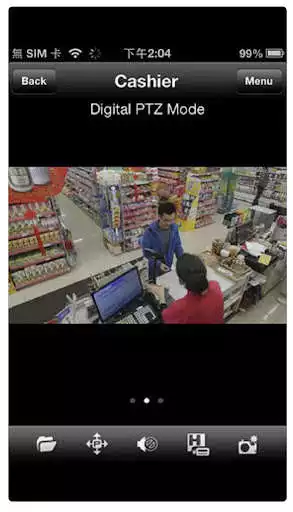
Keep an eye on your surveillance cameras anytime, anywhere with D-Links D-ViewCam Mobile app. The D-ViewCam Mobile app makes it easy to check on your home or business no matter where you are, no matter what time of day it is. D-ViewCam Mobile uses your 3G or WiFi Internet connection to remotely connect to your D-ViewCam server or D-Link NVR, giving you instant access to your cameras live video feeds on your mobile device. Now you can keep a close eye on whats happening, even when youre off-site.
Features
- View your surveillance cameras live video
- Get a quick overview of whats happening with a grid view of your cameras
- Use pan/tilt/zoom (PTZ) controls to adjust your view for supported cameras
- Supports camera view preset points to quickly view specific camera angles
- Take snapshots of live camera video and save them to your mobile device
- Send DI/DO signals to trigger devices such as alarms or lights
- View cameras from multiple servers
- Support one way audio (1ch and Main stream only)
Supported Mobile Devices:
Supported OS:
- Android v7 or latest
-Only Support Android 64bits
Supported Video codec:
- MJPEG, MPEG4, H.264 (Mainstream)
Supported products:
- D-ViewCam DCS-100 v3.6.5 and above
- D-ViewCam DCS-210 v1.1 and above
- D-ViewCam DCS-220 v1.2 and above
- D-ViewCam DCS-230 v1.2 and above
- D-ViewCam DCS-210/220/230 v2.0.1 and above
- D-ViewCam DCS-250 v1.0 and above
Enjoy with UptoPlay the online game D-ViewCam Mobile app.
ADDITIONAL INFORMATION
Developer: D-Link Corporation
Genre: Tools
App version: 1.8.8
App size: 14M
Recent changes: First time release.
Comments:
Will not work on 32 bit android. Should say this in all caps up front! Downloaded and I can access my DviewCam server on Windows desktop. I can see improvement of timeline (shows blip for past event recordings instead of guessing event times) but app will not playback indicated events on my ASUS tablet.
More easier to review and monitoring from any where..
Needs complete UI and logic refactoring. We pay a higher price for DLink's hardware but it's software is not in the same level.
Absolutely rubbish, playback now doesn't work, it's the only reason I use it
Scan not availabe. Other option not working.'
Page navigation: