


Baby Toy with Lock

Baby Toy with Lock
The official app & game
Distributed by UptoPlay
SCREENSHOTS
DESCRIPTION
Play this online game named Baby Toy with Lock .
Baby Toy with Lock is idle,babytoy,casual,baby, content rating is Everyone (PEGI-3). This app is rated 5 by 1 users who are using this app. To know more about the company/developer, visit idle website who developed it. com.idle.babytoy.apk apps can be downloaded and installed on Android 4.0.x and higher Android devices. The Latest Version of 2.5.4 Available for download. Download the app using your favorite browser and click Install to install the application. Please note that we provide both basic and pure APK files and faster play online speeds than APK Mirror. This app APK has been downloaded 910+ times on store. You can also play online com.idle.babytoy APK and run it with the popular Android Emulators.
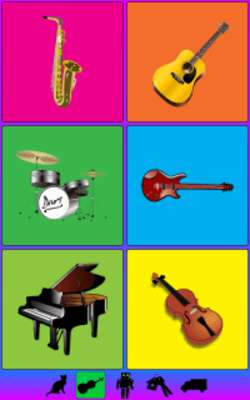
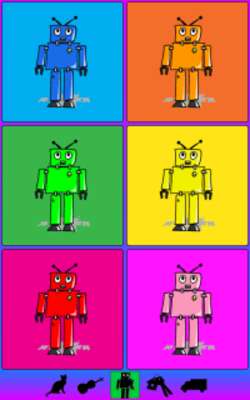
A simple game for toddlers with a button's lock feature. Entertains and teaches with the sounds of animals, musical instruments, colorful robots and more. For boys and girls, ages six months to two years old. Ads Free!

Optionally, the game can lock the device, preventing the toddler from starting other apps or making calls.

Simple and fun! The baby touches or taps an icon and the respective sound is heard. Keeps the child happy and busy, educating at the same time.

It consists of these sounds & icons themes:

1. farm animals

2. musical instruments

3. colorful robots

4. household items

5. transportation vehicles

The last two are bundled as one In App purchase.

With the button lock options configured, the app prevents exiting with the Home, the Back or the Recent Apps key. Also, it locks the volume control keys, 30 seconds after the game starts, so that the baby can't make changes on its own. You can adjust the volume level while in the Intro Screen.

How to enable lock:

1. In Settings, enable the "Lock" option

2. Start the Game

3. Pick Baby Toy as your default Home App and press Always

4. With the game started, Lock and Unlock the device.

Note: If the power button only blanks the screen, you will need to switch it to "Instant Lock" from Settings->Security.

Permissions:

We make minimal use of permissions.

1. Control vibration: provide vibration when an icon is touched

2. Google Play billing service: provide option to buy extra game boards

Send in any bug reports. They will be addressed.
Updates:
- New:
- New extra board: Unicorns!
- Live preview of Extra Boards (for 12 touches).
Baby Toy with Lock from UptoPlay.net
Page navigation: