


GPS Speedometer with HUD
GPS Speedometer with HUD
The official app & game
Distributed by UptoPlay
SCREENSHOTS
DESCRIPTION
Use UptoPlay to play online the game GPS Speedometer with HUD.
Digital GPS Speedometer
PLEASE, if there are problems with the app - tell me what is wrong so I can fix it. Don't vote with one star and no comment, thank you!
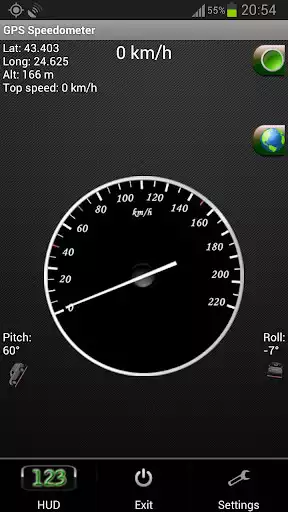
GPS Speedometer - this GPS SPEED application is a free software for Android devices with built-in GPS antenna. It acts as a normal speed gauge, which you may find in any car, showing the velocity of the vehicle you are in in kph and mph - useful when cycling, running, flying, sailing.
We try our best to make all readings as accurate as possible, but the accuracy also depends your device's GPS sensor and should only be treated as approximations.
*This is an ad-supported application. The ads are located on the bottom of the screen.
Facebook page:
https://www.facebook.com/gps.speedometer.android
Site:
http://gps-android-speedometer-test.eu.pn/
There is also a flashlight available in GSpeed. You turn it on and off by simply clicking the green button, located in the top right corner of the app.
In miles per hour (MPH)
You can set the app to kmh or mph.
Some features of the speed app include:
GPS Coordinates
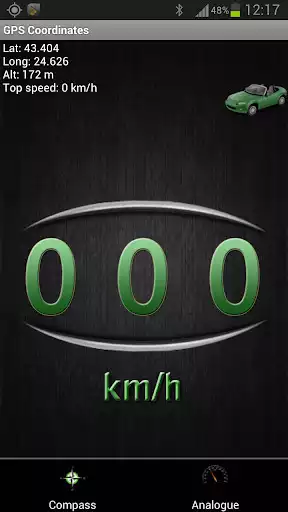
-Shows you your current GPS position - Longitude, Latitude and Altitude, as well as your top speed.
GPS Speed
-Your current speed and your maximum velocity, according to the sattelites.
Google Maps for newer versions of Android (4.0.3 and above)
-Added Google Maps view. With a single click you can view your current position on the map, which may help you navigate to your current destination.
Vehicle position
-The pitch and roll of the vehicle you are in (the device must be in upright position according to the vehicle)
Units
-Both the analog and digital speedometer views can be either in miles or kilometers per hour.
HUD - heads up display
-You can switch to HUD mode, which will show you your velocity digitally with large green numbers.
Mirror HUD mode
-A mirror view of the digits, allowing you to put your phone on the dash of the vehicle, so that the readings of your speed in kilometers per hour can be reflected from the windshield at night.
*Permanently set to KM/H or MPH
*Change your background
*Change needle color
*Choose to keep screen lit(or not) when app is active.
*Added a software menu button if no hardware one detected
*Move to SD card
*Fixed Altitude readings
*Added Google Map view
*Some bug fixes
*Set screen size
*Tested on Samsung Galaxy S III, Samsung Galaxy Tab 2 7.0' and a Chinese phone with Android 2.3.4
Video of the HUD mode of the application:
http://www.youtube.com/watch?v=KUkrA3AbHnQ
**** EU Cookie law ****
We use device identifiers to personalise content and ads, to provide social media features and to analyse our traffic. We also share such identifiers and other information from your device with our social media, advertising and analytics partners.
Enjoy with UptoPlay the online game GPS Speedometer with HUD.
ADDITIONAL INFORMATION
Developer: BeshevGames
Genre: Maps & Navigation
App version: 3.6.0.2
App size: 4.1M
Recent changes: * Total distance traveled
Comments:
My speedometer doesn't work in my car I use this app and haven't gotten a ticket yet thanks... to be able to record with speedo translucent in video would be great.
Kept saying searching for coordinates though it showed my corect position on its built in map. Other apps find satellites fine. Samsung note 3
Love the app the one thing I would like to see is on the map part of the GPS the map would be great if you could switch between map styles light lines satellite hybrid map would be great other than that this is one of my favorite apps to use on a daily basis thanks and keep up the great work.
Great app, but you could make a speed log, for day and hour, so we can contest speeding tickets XD
Worst game ever created take it down'
Page navigation: