


Keybee Keyboard type better!
Keybee Keyboard type better!
The official app & game
Distributed by UptoPlay
SCREENSHOTS
DESCRIPTION
Use UptoPlay to play online the game Keybee Keyboard type better!.
************NEWS************
Win 5000$ with Keybee Keyboard speed contest!
Keybee Keyboard typing speed contest is finally live! You can win 5000$ by breaking the Guinness World Record for fastest touch screen text message! Click the link below or follow the link in the relative settings menu where you can check the contest rules and practice the record! Good luck!
https://keybee.it/speedcontest.html
************NEWS************
We live in a World where the keyboard is the most used mobile application, but we type with a layout which belongs to something else.
In 1863 Christopher Sholes wanted to fix the jams on typewriters. So he moved to the opposite the most frequent letters and letter-pairs to improve typing with both hands. The qwerty keyboard was invented. The success of qwerty was so huge that the same layout is still used today as input device on computer keyboard.
In 2007 the mobile world became touch friendly. Smartphones became our daily pocket computer and the touchscreen was introduced to use the phone with one hand.
But typing on a physical keyboard and on a touchscreen is not the same:
- different number of fingers necessary to type: ten vs one
- different gestures: no-swipe vs swipe
So sharing the same qwerty layout is not efficient.
This incompatibility created an usability problem because the device was adapted to the keyboard. How?
- Less space: limited key size and useless gap between keys
- Low speed: no swipe friendly, slow typing because floating fingers through the borders
- Less comfort: no ergonomics and uncomfortable typing, we are forced to type with two hands or switch the phone to landscape.
To fix this problem we adapted the keyboard to the device. How?
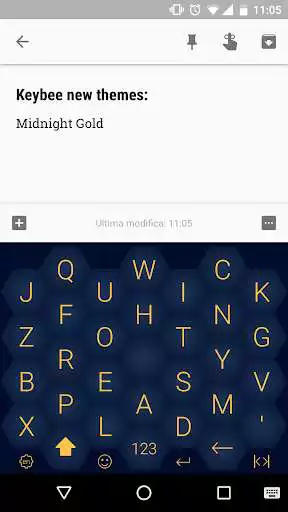
- we optimized the space by using an hexagonal structure the most efficient structure in Nature, which increases the key size in the same device area up to 50%
- we increased the typing speed up to 50% by making more swipe friendly connections between letters and letter-pairs and by removing the gaps between keys
- we improved ergonomics by arranging the layout around the center of the screen to type easily with just one finger. No need for two hands for typing.
Discover the new way of typing. For free. Forever.
Thoughts from the founder
The Qwerty on touchscreen is like using a steering wheel on a bicycle: just because I can turn it doesnt mean that the controller should be like this. A bicycle needs a controller designed for it: the handlebar. A touchscreen needs a keyboard designed for it: Keybee Keyboard.
I want to give Keybee Keyboard for free because the keyboard is the basic human - device interaction and because it is universal. It involves all People in the World, no matter the age they have, the language they speak or the place they live. And all the greatest tech innovations are free.
I would like to thank all the Keybee Keyboard users who gave me the strength to continue this project even without external investments through their messages and reviews.
Marco Papalia.
Keybee Keyboard main features
- Twipe typing gesture (swipe on adjacent keys)
- 20+ Keybee themes
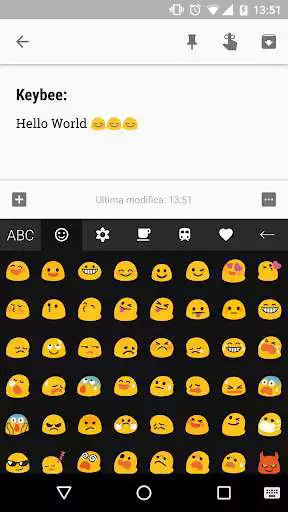
- 1000+ Emoji compatible with Android 11
- 4 original layouts (English, Italian, German, Spanish)
- Custom layout
- Custom letter pop-up
Enjoy with UptoPlay the online game Keybee Keyboard type better!.
ADDITIONAL INFORMATION
Developer: Papalia Marco
Genre: Productivity
App version: Varies with device
App size: Varies with device
Recent changes: Bug fixing for Android9
Comments:
I would've given it a 5 star review but I can't because there are no qualitie of life options. If they made it to where you can change the actual positions of the letters so I can have the qwerty letter layout in the keybee hexagonal phrame then this would easily be a 5 stars, but till now I don't think its worth learning a whole new letter layout just for you to use the old on again when you start using a laptop. If they ever make this change then I will be pleased and give it 5 stars.
`Great layout but minus two stars because it's a tap style keyboard. Modern keyboards need to be "swipable like Flow.`,Vary counter-intuitive, though quirky and interesting. It lacks certain key quality of life features that I have come to rely on in G-Board, though this may not be a fair comparison. Having only a single button for punctuation is quite limiting, and I feel as though the placement of the letters is sub-optimal. Often-used words like "the," "and," and "please" require more time to find, while "sting" is a quick gesture. This review took 30 minutes using this keyboard. Make layout customisable?
Page navigation: